

As of Dec 2022, our company is allowing each employee to carry over a maximum of up to 5 vacation days to 2023, and this will be the case every year from now on. 'Up to 5 days' for example means that if an employee has 2 days remaining, then only 2 days will be transferred on 1st January. If someone has more than 5 days, then these will not be accounted for. How can we set this up in Personio to apply for all personnel to be effective from 1st January 2023, as the system has already automatically transferred all their remaining vacation days from 2022.

Answered
Carryover Paid Vacation days for all employees
- First Steps
Beste Antwort von mruscito
Hi
Excellent question!
Unfortunately, there is currently no way to configure a limit on the number of days carried over, you can only set a carryover expiry date in the settings of the absence type. This is a feature that has already been brought up in our Community’s Ideation section, here. You can take a look at it and vote for this idea yourself. Our Product Team regularly reviews the upvoted ideas, to consider what kind of features to develop and implement.
In the meantime, here’s a workaround you can use for the carryover. Run a Point in time custom report, and choose 01.01.23 as the date for the report. Then, under Table columns, search for the applicable absence type and choose the option Carryover from previous year.
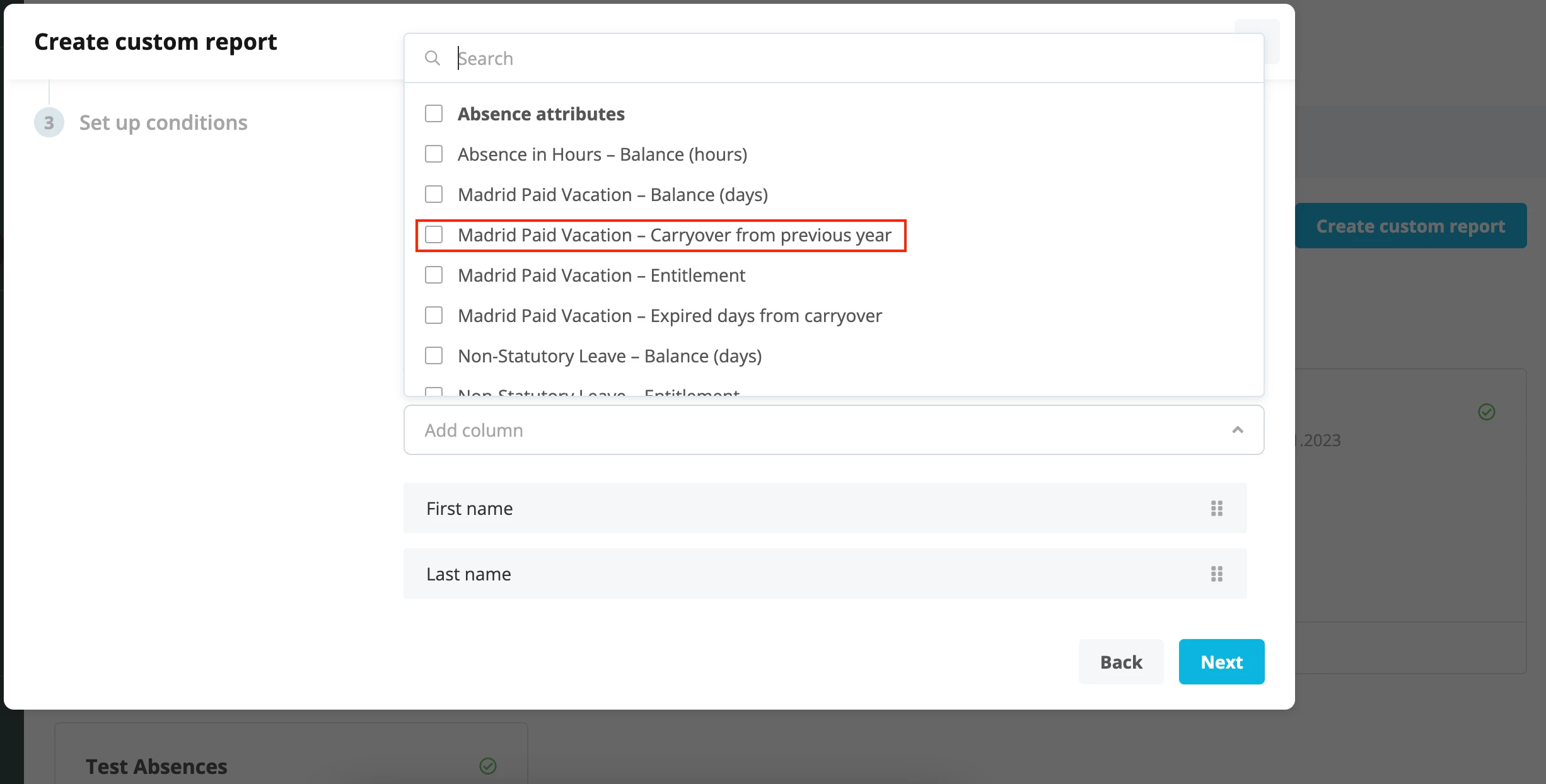
Once you have finished setting up the parameters, you can generate the report to see how many carryover days each person has. You can then export it to Excel and filter for values that exceed 5.
Depending on how many employees have more than 5 days’ carryover, you can decide to go into their individual profiles and adjust the balance manually OR perform an absence balance upload via the Imports section located in the menu bar.
I hope this solution helps you, let me know how you get on!
Take care!








Werde Teil der Personio Voyager Community!
Bitte benutze für die Registrierung die gleiche E-Mail-Adresse, die Du auch zum Login in Deinem Personio Account benutzt. Dies erleichtert es uns, Dir effektiv und effizient zu helfen, wenn wir z.B. etwas in Deinem Account überprüfen müssen. Bereits registriert? > Anmelden
Achtung: Dein öffentlicher Benutzername darf keine persönlichen Informationen wie E-Mail oder andere private Daten enthalten!
Herzlich willkommen in der Personio Voyager Community.
Die Service und Networking Community für alle Personio Kund*innen und HRler*innen. Solltest Du Dich noch nicht registriert haben, klicke bitte unten auf "Benutzerkonto erstellen". Benutzerkonto erstellen
Enter your E-mail address. We'll send you an e-mail with instructions to reset your password.