I’m struggling with the status of our onboarding steps. I changed one step into “done” , which was wrong, and would like to discard this change since I sill need to upload a document for it.
I’m working as HR Manager and should have all admin rights within Personio.
Unfortunaltey I noticed, that I’m not able to change the status of any step when the employee is in responsible for doing the task. Even if it’s my own task.
If “HR Team” or “IT Team” is set as the responsible person, I can change the status to “Undone”.
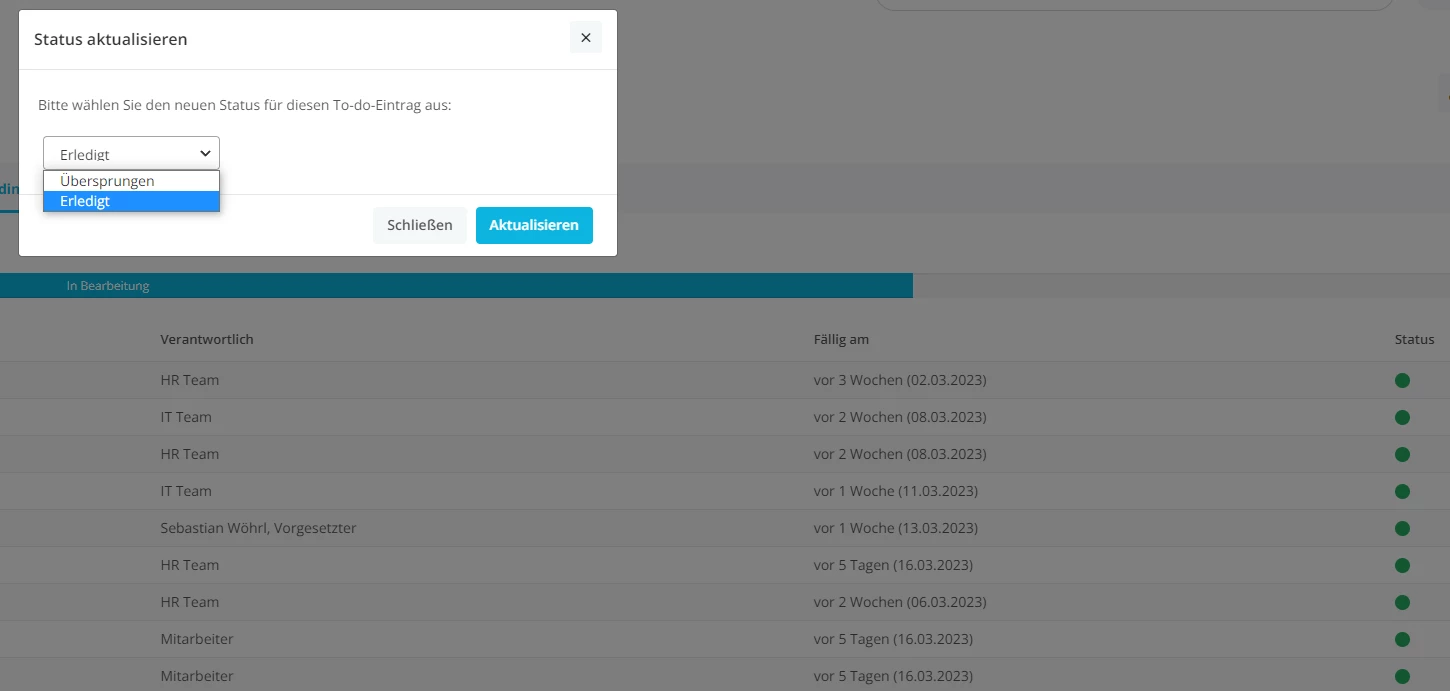
I tried to click on the green button on the right side, but I only can choose between “Done” and “Skip” (our system works in german, that’s why it looks different).
Do you know how to set the status of the onboarding tasks to “Undone”?
Pop Up after klicking on the lowest green button.
Thanks guys! :)
Beste Antwort von mruscito
Hi @Lea-Kim !
You are correct: if there an Onboarding task that is assigned to a specific person (the employee or the supervisor), then the option Pendingis not available when you click into the coloured status button of the task. Pending is only an option when the task is assigned to an onboarding group (such as HR Team, IT Team, etc.). However, will double-check with our Product Team if the template is supposed to operate in this way.
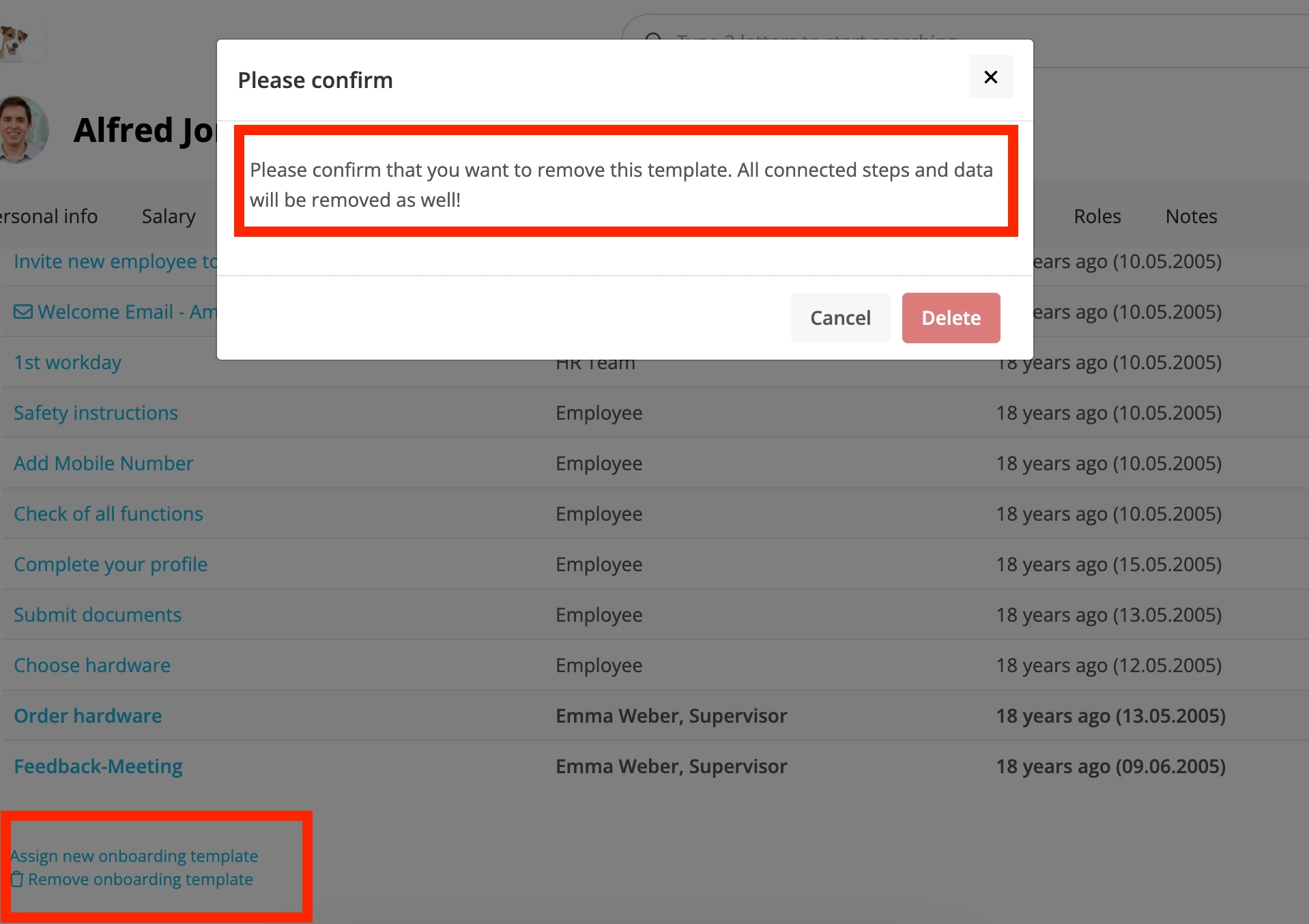
As a temporary solution for your issue, you can unassign the onboarding template from the employee’s profile and reassign it.
🚨However, this will remove any data that was added to the employee’s profile via the Onboarding tab. It will also erase any progress made on the employee’s template, so that when you reassign it all of the tasks will show as not completed.🚨 This is only a viable option if you’ve only completed one or two of the steps and you don’t mind re-doing them.
Do let me know if you have further questions or concerns!
You are correct: if there an Onboarding task that is assigned to a specific person (the employee or the supervisor), then the option Pendingis not available when you click into the coloured status button of the task. Pending is only an option when the task is assigned to an onboarding group (such as HR Team, IT Team, etc.). However, will double-check with our Product Team if the template is supposed to operate in this way.
As a temporary solution for your issue, you can unassign the onboarding template from the employee’s profile and reassign it.
🚨However, this will remove any data that was added to the employee’s profile via the Onboarding tab. It will also erase any progress made on the employee’s template, so that when you reassign it all of the tasks will show as not completed.🚨 This is only a viable option if you’ve only completed one or two of the steps and you don’t mind re-doing them.
Do let me know if you have further questions or concerns!
Megan
Übersetzen
⚠️Achtung! Dieses Thema könnte veraltet sein
Dieses Thema wurde vor mehr als erstellt. Unser Produkt entwickelt sich schnell weiter — stelle gerne eine neue Frage, um die aktuellsten Infos zu bekommen.
Werde Teil der Personio Voyager Community!
Bitte benutze für die Registrierung die gleiche E-Mail-Adresse, die Du auch zum Login in Deinem Personio Account benutzt. Dies erleichtert es uns, Dir effektiv und effizient zu helfen, wenn wir z.B. etwas in Deinem Account überprüfen müssen. Bereits registriert? > Anmelden
Achtung: Dein öffentlicher Benutzername darf keine persönlichen Informationen wie E-Mail oder andere private Daten enthalten!
Herzlich willkommen in der Personio Voyager Community.
Die Service und Networking Community für alle Personio Kund*innen und HRler*innen. Solltest Du Dich noch nicht registriert haben, klicke bitte unten auf "Benutzerkonto erstellen". Benutzerkonto erstellen
Enter your E-mail address. We'll send you an e-mail with instructions to reset your password.