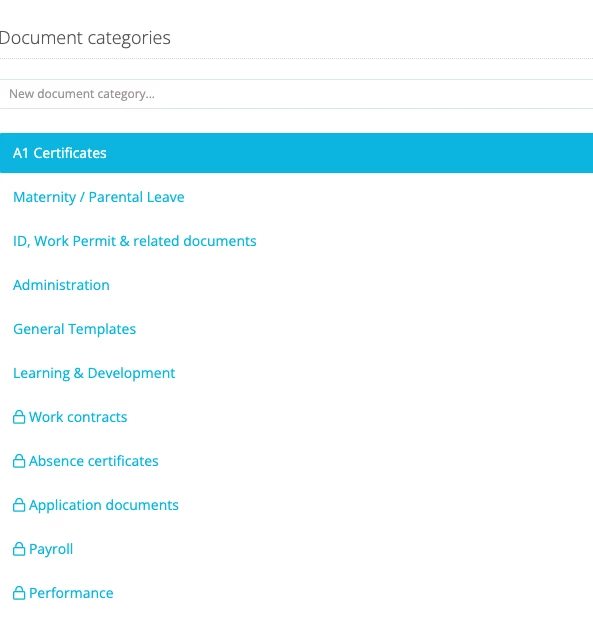
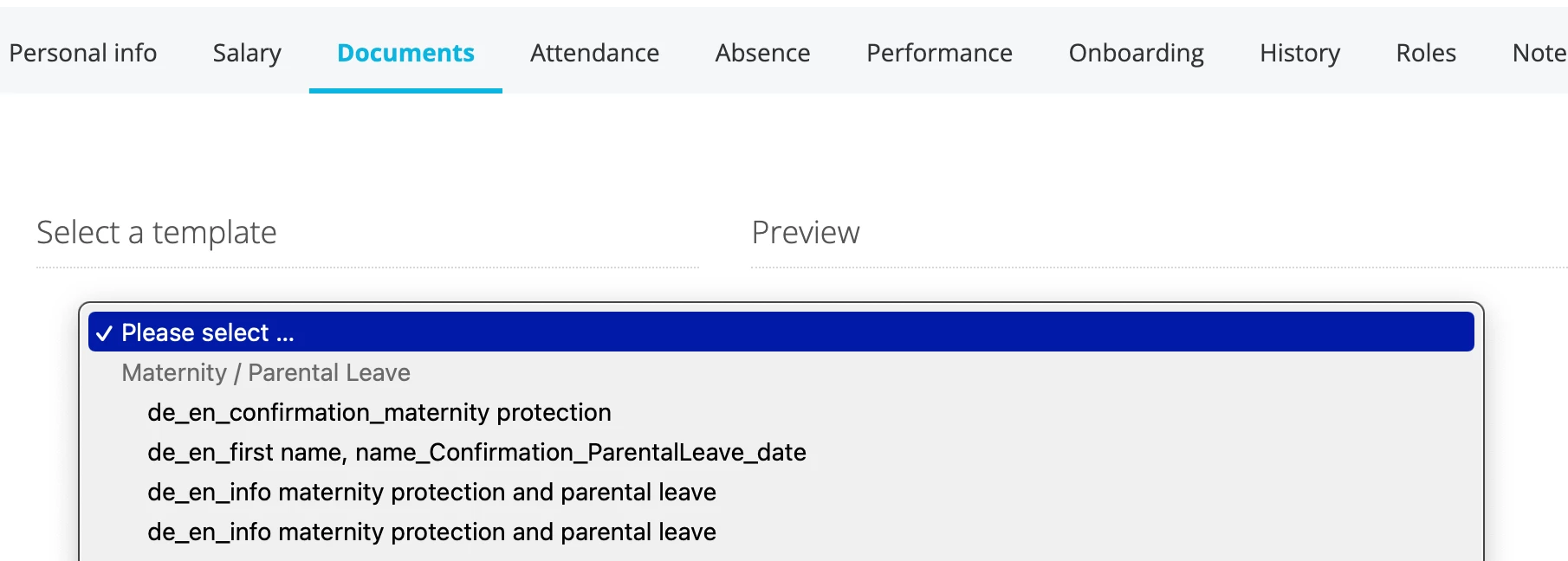
Is there a way to create new document category with lock function that only HR can see them?
I can create new document categories, such as Maternity / Parental Leave and ID; WorkPermit, but the templates stored in those categories are visible to the whole organization. Can this get changed?
Beste Antwort von Andrea Mendoza
Dear @Carina,
Thank you very much for sharing this question with us. I am happy to support you with this topic.
The lock on your document categories mean that these are predetermined on the system. This means, that these categories cannot be erased or renamed, because they are connected to other functionalities within Personio. For example, the category Work contracts can be used to store documents which will be used within an Offer in the Recruiting module.
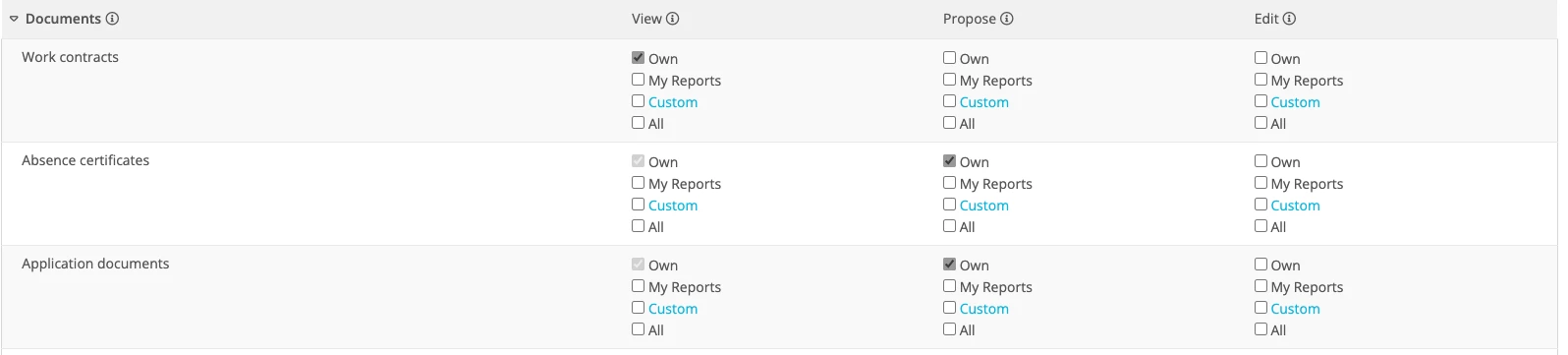
Which document templates your employees can see, depends on the access rights they have for that certain document category. You can grant or revoke access rights for document categories under settings > people > employee roles > [corresponding employee role] > access rights > documents:
Please visit the following help center articles for more details about access rights for document categories:
Thank you very much for sharing this question with us. I am happy to support you with this topic.
The lock on your document categories mean that these are predetermined on the system. This means, that these categories cannot be erased or renamed, because they are connected to other functionalities within Personio. For example, the category Work contracts can be used to store documents which will be used within an Offer in the Recruiting module.
Which document templates your employees can see, depends on the access rights they have for that certain document category. You can grant or revoke access rights for document categories under settings > people > employee roles > [corresponding employee role] > access rights > documents:
Please visit the following help center articles for more details about access rights for document categories:
Employees will be able to see document templates for the document category they have edit rights for. Under Settings > People > Employee Roles, you can check which access rights have been granted to your employees and adapt them for employees not to be able to use document templates.
Please let me know if you have any further questions!
I wish you a lovely weekend.
Best,
Andrea
Übersetzen
⚠️Achtung! Dieses Thema könnte veraltet sein
Dieses Thema wurde vor mehr als erstellt. Unser Produkt entwickelt sich schnell weiter — stelle gerne eine neue Frage, um die aktuellsten Infos zu bekommen.
Werde Teil der Personio Voyager Community!
Bitte benutze für die Registrierung die gleiche E-Mail-Adresse, die Du auch zum Login in Deinem Personio Account benutzt. Dies erleichtert es uns, Dir effektiv und effizient zu helfen, wenn wir z.B. etwas in Deinem Account überprüfen müssen. Bereits registriert? > Anmelden
Achtung: Dein öffentlicher Benutzername darf keine persönlichen Informationen wie E-Mail oder andere private Daten enthalten!
Herzlich willkommen in der Personio Voyager Community.
Die Service und Networking Community für alle Personio Kund*innen und HRler*innen. Solltest Du Dich noch nicht registriert haben, klicke bitte unten auf "Benutzerkonto erstellen". Benutzerkonto erstellen
Enter your E-mail address. We'll send you an e-mail with instructions to reset your password.