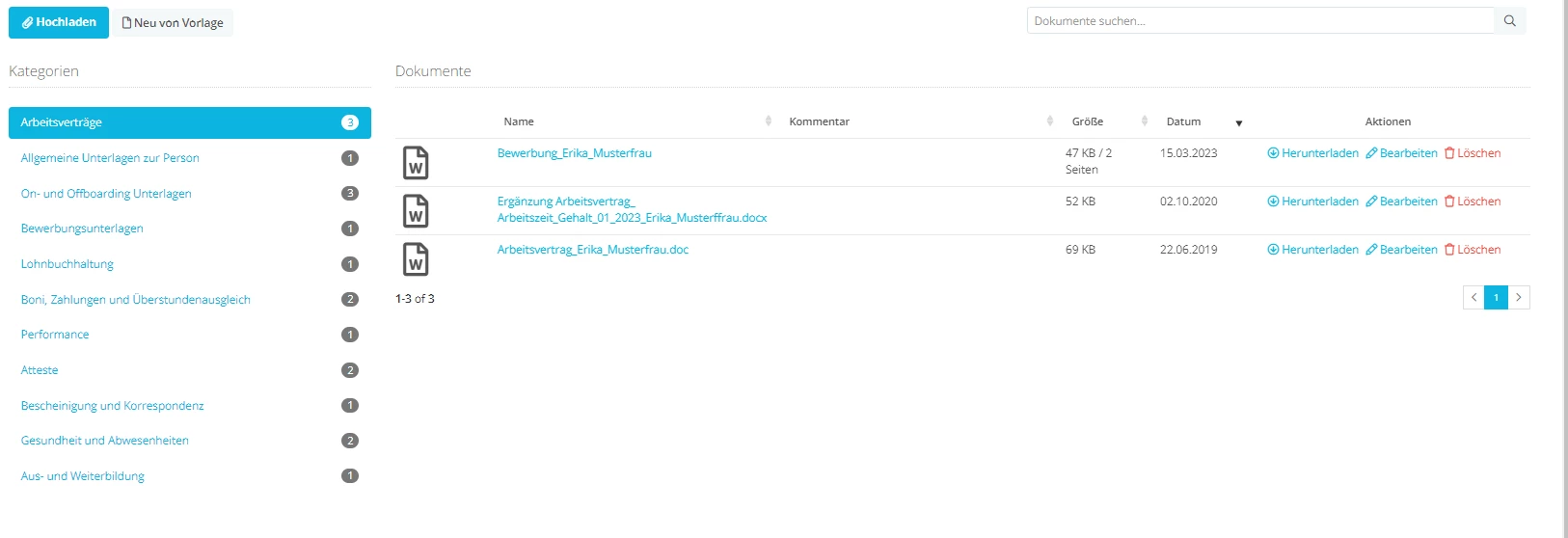
we have setup the off boarding process and used some of the default settings.
One is for the leaving employee to download all documents from the documents section.
See pic below item 2.
But on the employees documents section I cannot find such a function.
Does anyone know where I need to look or what setting I need to maybe enable?
Thanks
Marc
Beste Antwort von International Support Team
Hi @bruchm
This feature is only available to each employee and cannot be carried out by others, for example account Administrators. As such the employee will see this option in their Documents tab when they log into their account but it is not visible otherwise even if you impersonate their account.
For your employees to bulk download their documents please have them follow these steps:
Go to My profile > Documents.
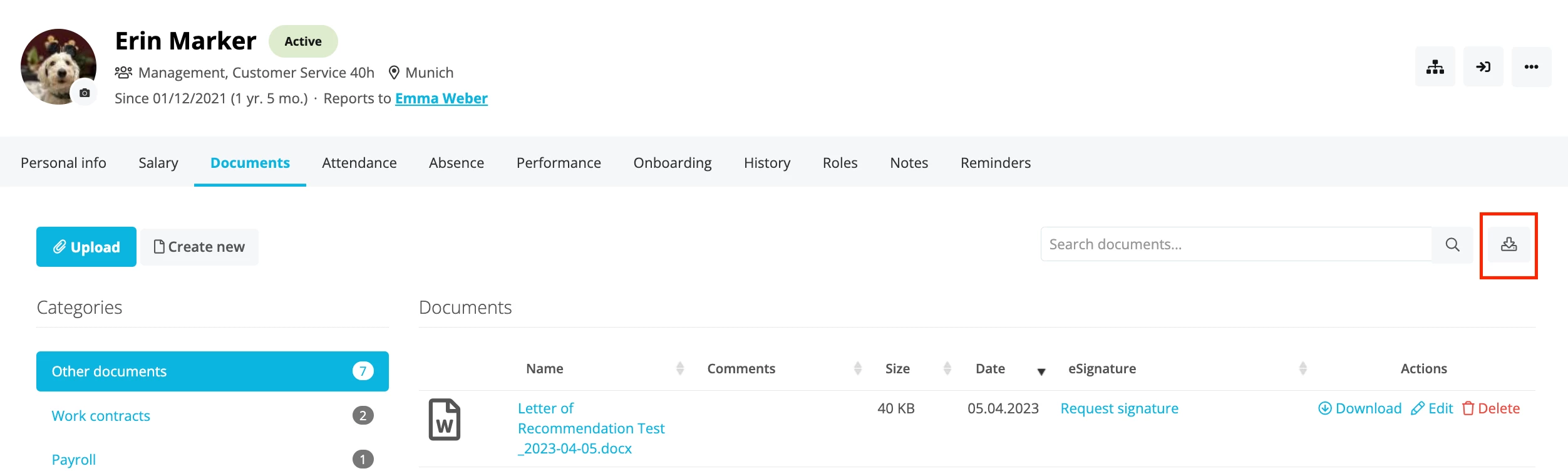
Next to the search bar, click on the download icon to download all documents.
Select Create new data export.
As soon as the export is ready, you will receive an email from Personio. This may take a little while, depending on the size of your files. The download will then be available for one week from the date of the export. After that, the file will automatically be deleted, and has to be generated again if needed. Please see this handy article:
This feature is only available to each employee and cannot be carried out by others, for example account Administrators. As such the employee will see this option in their Documents tab when they log into their account but it is not visible otherwise even if you impersonate their account.
For your employees to bulk download their documents please have them follow these steps:
Go to My profile > Documents.
Next to the search bar, click on the download icon to download all documents.
Select Create new data export.
As soon as the export is ready, you will receive an email from Personio. This may take a little while, depending on the size of your files. The download will then be available for one week from the date of the export. After that, the file will automatically be deleted, and has to be generated again if needed. Please see this handy article:
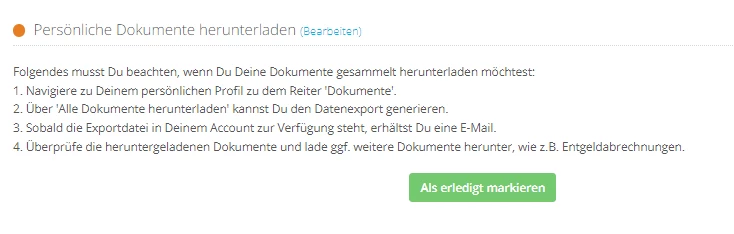
that is great and works for Admins who have that button.
Other employees do not have that button in our setup. >See below screenshot
is that maybe to do with some of the access rights? Do I need to tick the box basically for all document sections to be visible to each employee?
THere must be some sort of restriction.
Cheers
Marc
Übersetzen
⚠️Achtung! Dieses Thema könnte veraltet sein
Dieses Thema wurde vor mehr als erstellt. Unser Produkt entwickelt sich schnell weiter — stelle gerne eine neue Frage, um die aktuellsten Infos zu bekommen.
Werde Teil der Personio Voyager Community!
Bitte benutze für die Registrierung die gleiche E-Mail-Adresse, die Du auch zum Login in Deinem Personio Account benutzt. Dies erleichtert es uns, Dir effektiv und effizient zu helfen, wenn wir z.B. etwas in Deinem Account überprüfen müssen. Bereits registriert? > Anmelden
Achtung: Dein öffentlicher Benutzername darf keine persönlichen Informationen wie E-Mail oder andere private Daten enthalten!
Herzlich willkommen in der Personio Voyager Community.
Die Service und Networking Community für alle Personio Kund*innen und HRler*innen. Solltest Du Dich noch nicht registriert haben, klicke bitte unten auf "Benutzerkonto erstellen". Benutzerkonto erstellen
Enter your E-mail address. We'll send you an e-mail with instructions to reset your password.




 to download all documents.