I would like to add eligibility questions to the application form where candidates are automatically rejected if they give a certain answer (eg: Speaking Dutch, no = reject).
I saw this question was asked a year ago in the community and Personio mentioned working on it, is this possible to add?
Thanks!
Beste Antwort von Nick
Hey there @developyourskills So this is absolutely doable, a bit tricky to install but here is the walkthrough:
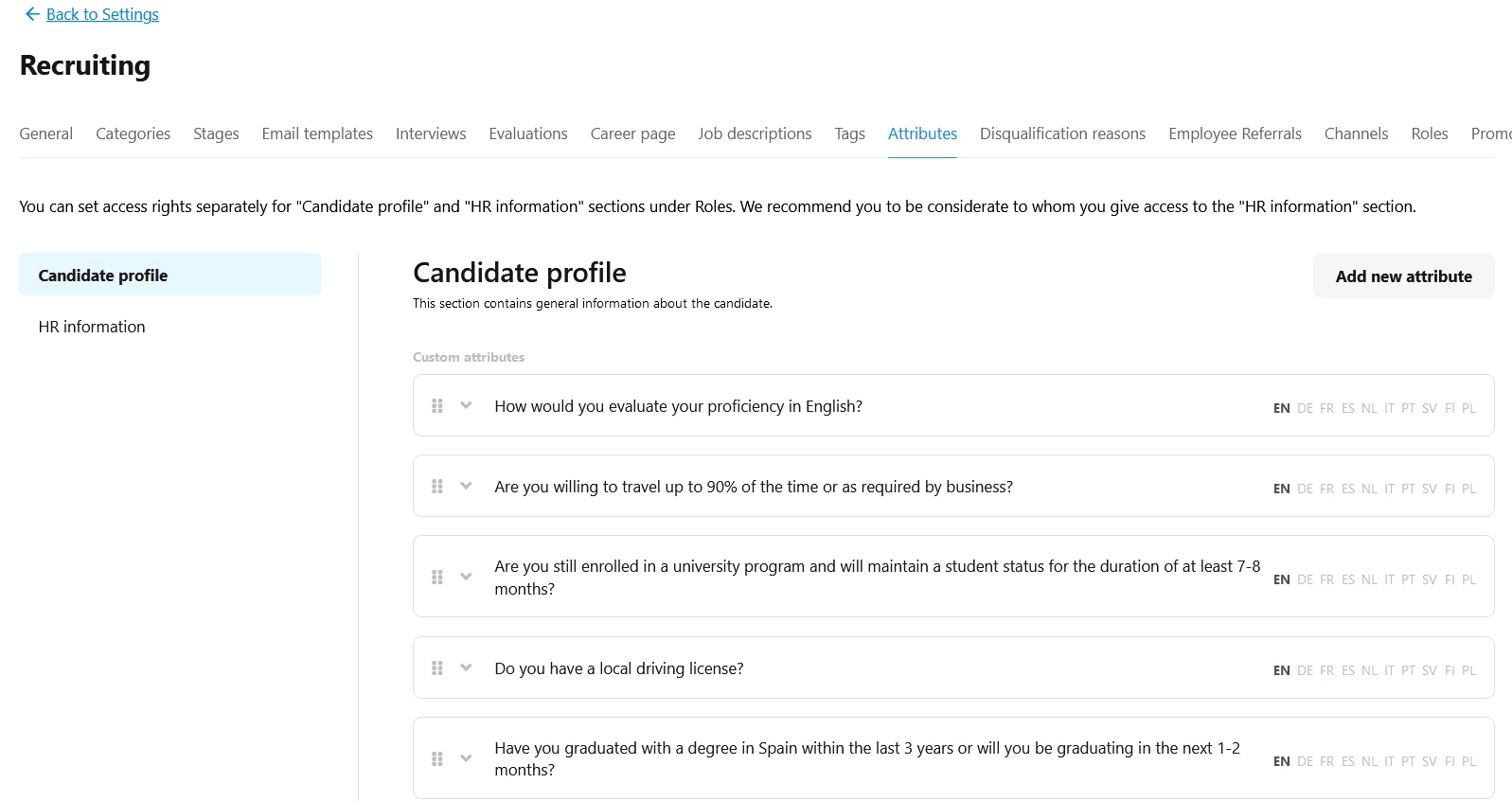
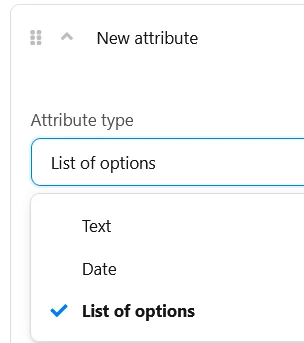
Then go to “Add new attribute” top right corner. select LIST
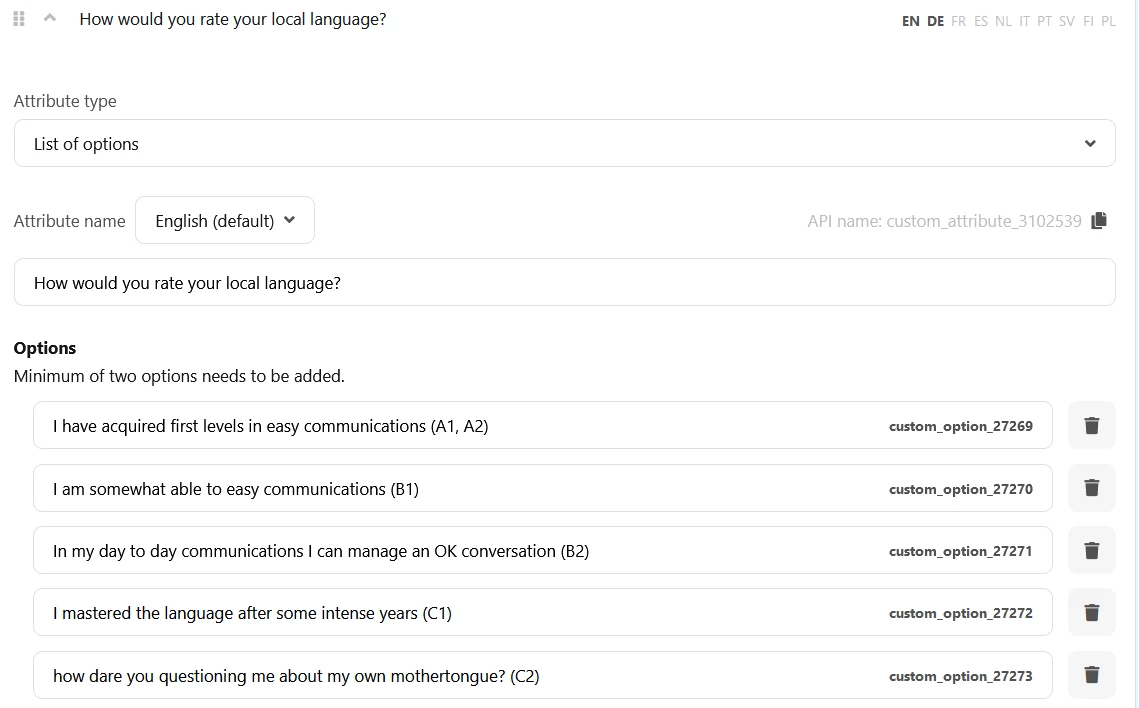
and then enter as many fields as you wish, here is my suggestion for the question “ How would you rate your local language?”
I use the ” The Common European Framework of Reference for Languages”, that way you are safe when it comes to possible discrimination and such; I gave them an explanation what the codes mean. Hit safe. Now navigate to one of your Jobs in which you wish to install this, like https://Your-Domain.personio.de/recruiting/position/808462
Then hit EDIT
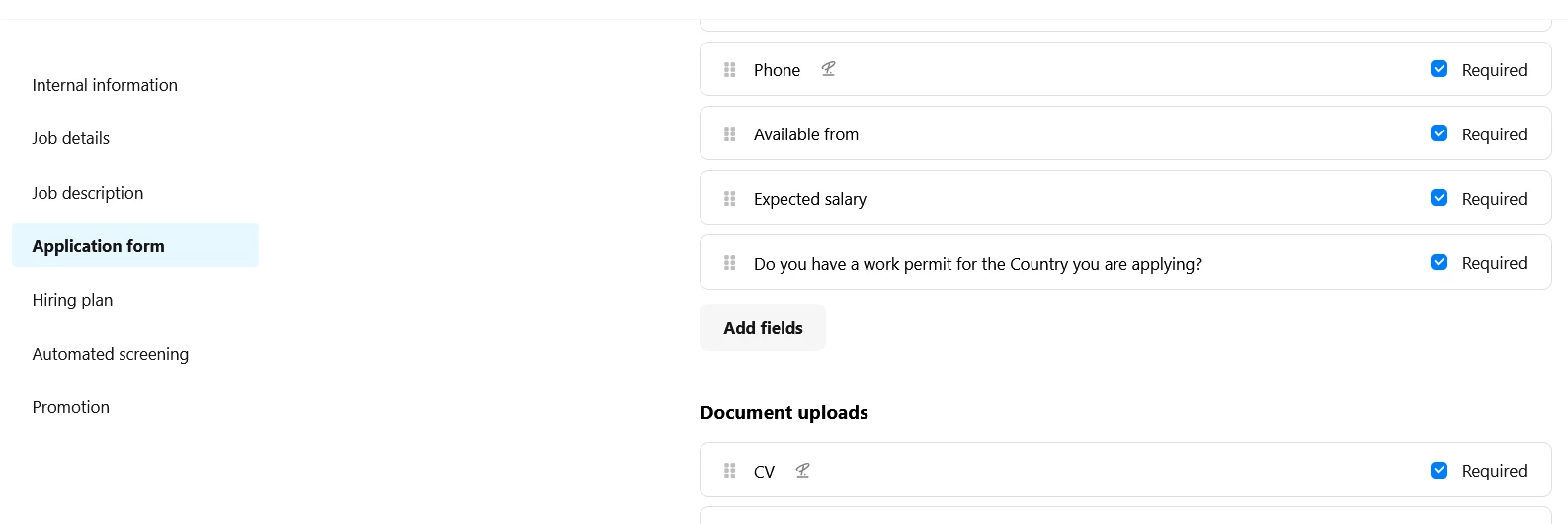
and now navigate to “application form”, under the section
Application form fields
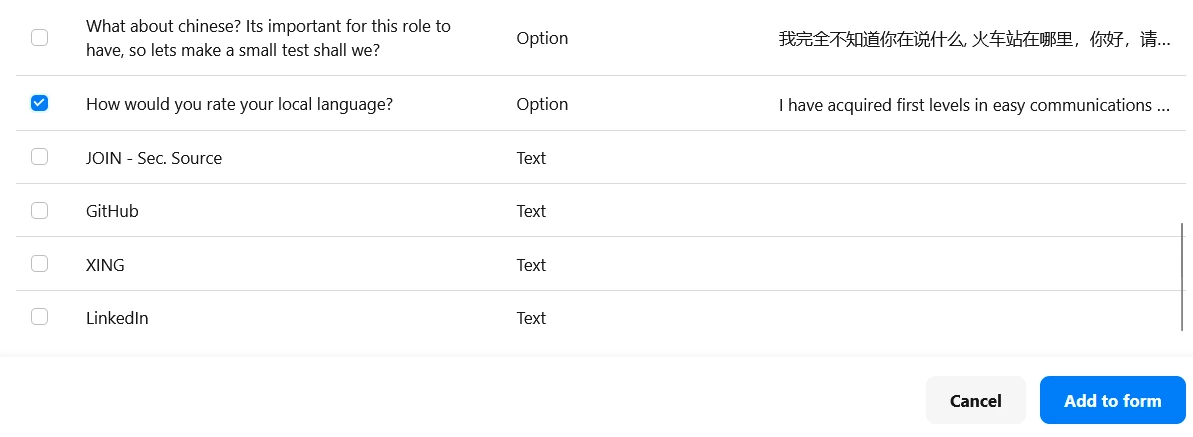
you can find the Button “add fields”;
here in my example you can see that I added the question for Work VISA already. Make sure you hit REQUIRED, so they MUST reply to this question, otherwise they can simply evade you!
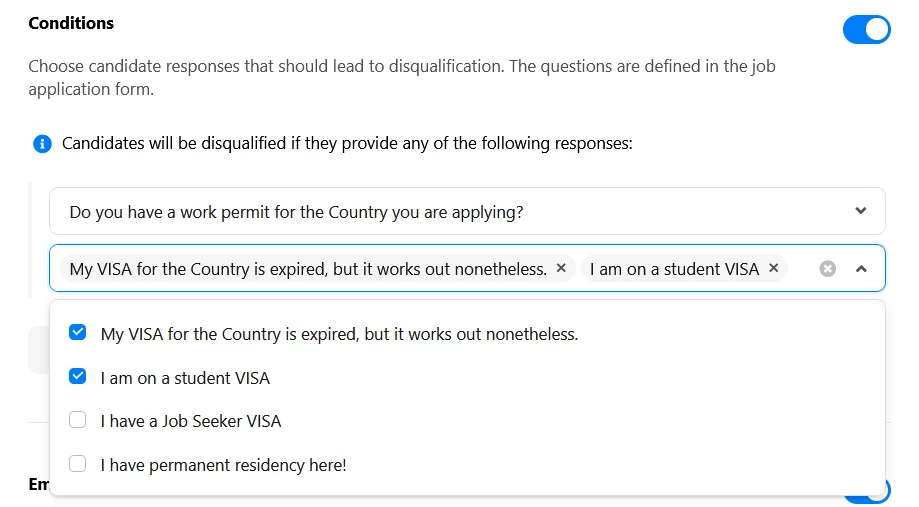
we are nearly there buddy, hang in there :) Now navigate to Automated Screening, switch it on:
In my example I selected the 2 answers, that will lead to an auto-reject, you do so too, please.
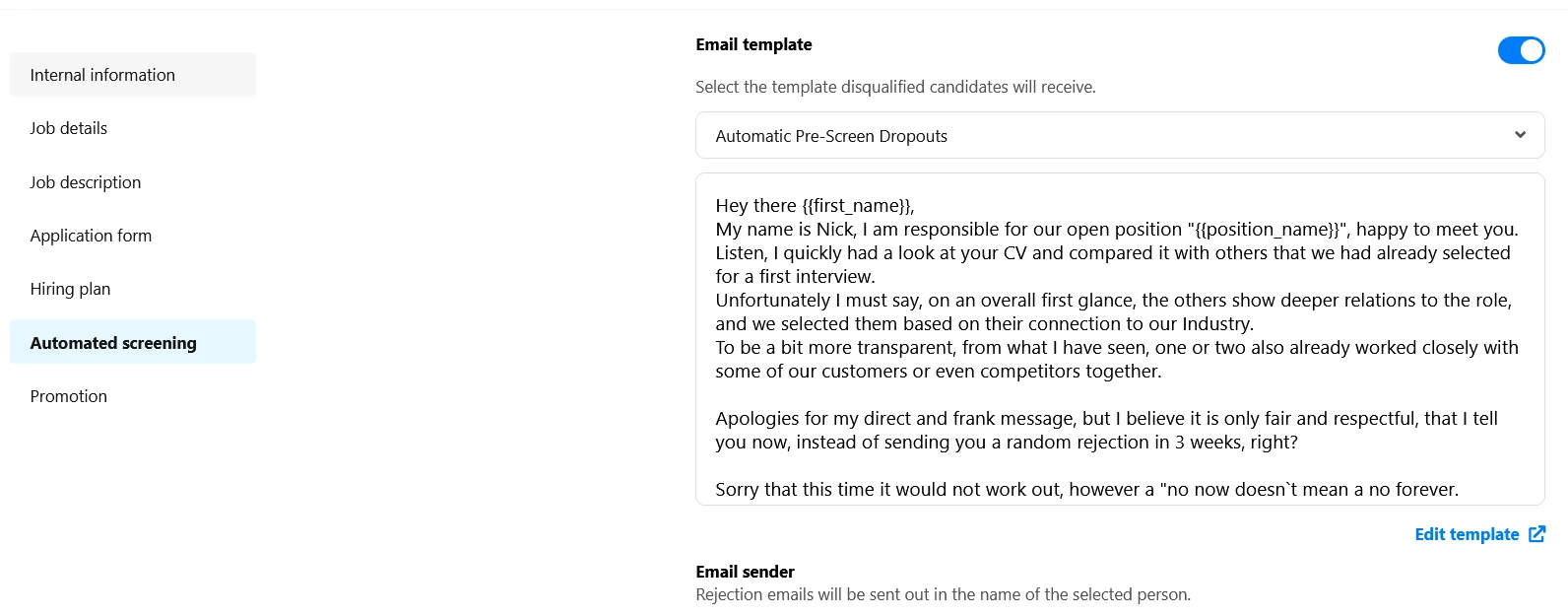
Then select the email template that has to be sent, mine is written in a way you could think I really handled the candidates:
Then go to “Add new attribute” top right corner. select LIST
and then enter as many fields as you wish, here is my suggestion for the question “ How would you rate your local language?”
I use the ” The Common European Framework of Reference for Languages”, that way you are safe when it comes to possible discrimination and such; I gave them an explanation what the codes mean. Hit safe. Now navigate to one of your Jobs in which you wish to install this, like https://Your-Domain.personio.de/recruiting/position/808462
Then hit EDIT
and now navigate to “application form”, under the section
Application form fields
you can find the Button “add fields”;
here in my example you can see that I added the question for Work VISA already. Make sure you hit REQUIRED, so they MUST reply to this question, otherwise they can simply evade you!
we are nearly there buddy, hang in there :) Now navigate to Automated Screening, switch it on:
In my example I selected the 2 answers, that will lead to an auto-reject, you do so too, please.
Then select the email template that has to be sent, mine is written in a way you could think I really handled the candidates:
Dieses Thema wurde vor mehr als erstellt. Unser Produkt entwickelt sich schnell weiter — stelle gerne eine neue Frage, um die aktuellsten Infos zu bekommen.
Werde Teil der Personio Voyager Community!
Bitte benutze für die Registrierung die gleiche E-Mail-Adresse, die Du auch zum Login in Deinem Personio Account benutzt. Dies erleichtert es uns, Dir effektiv und effizient zu helfen, wenn wir z.B. etwas in Deinem Account überprüfen müssen. Bereits registriert? > Anmelden
Achtung: Dein öffentlicher Benutzername darf keine persönlichen Informationen wie E-Mail oder andere private Daten enthalten!
Herzlich willkommen in der Personio Voyager Community.
Die Service und Networking Community für alle Personio Kund*innen und HRler*innen. Solltest Du Dich noch nicht registriert haben, klicke bitte unten auf "Benutzerkonto erstellen". Benutzerkonto erstellen
Enter your E-mail address. We'll send you an e-mail with instructions to reset your password.