

Hi
I have a notification from an employee stating his sickness certificate is in the system.

I can click into my own name but i cant seem to see where it has been uploaded or how to approve it at all?
thanks

 +1
+1Hi
I have a notification from an employee stating his sickness certificate is in the system.
I can click into my own name but i cant seem to see where it has been uploaded or how to approve it at all?
thanks
Beste Antwort von International Support Team
Hi
I am happy to support you with your inquiry. I hope you are having a good day! 😀
When requesting a sick leave, the employee has the option to upload a certificate, depending on your settings this might be required. This is done through the Employee profile > Absence > Request absence. They get a window and a section dedicated to the certificates. When you get the notification you can review it by going through your Tasks in your Home page and click on Review, as shown in the following screenshot from my test account.
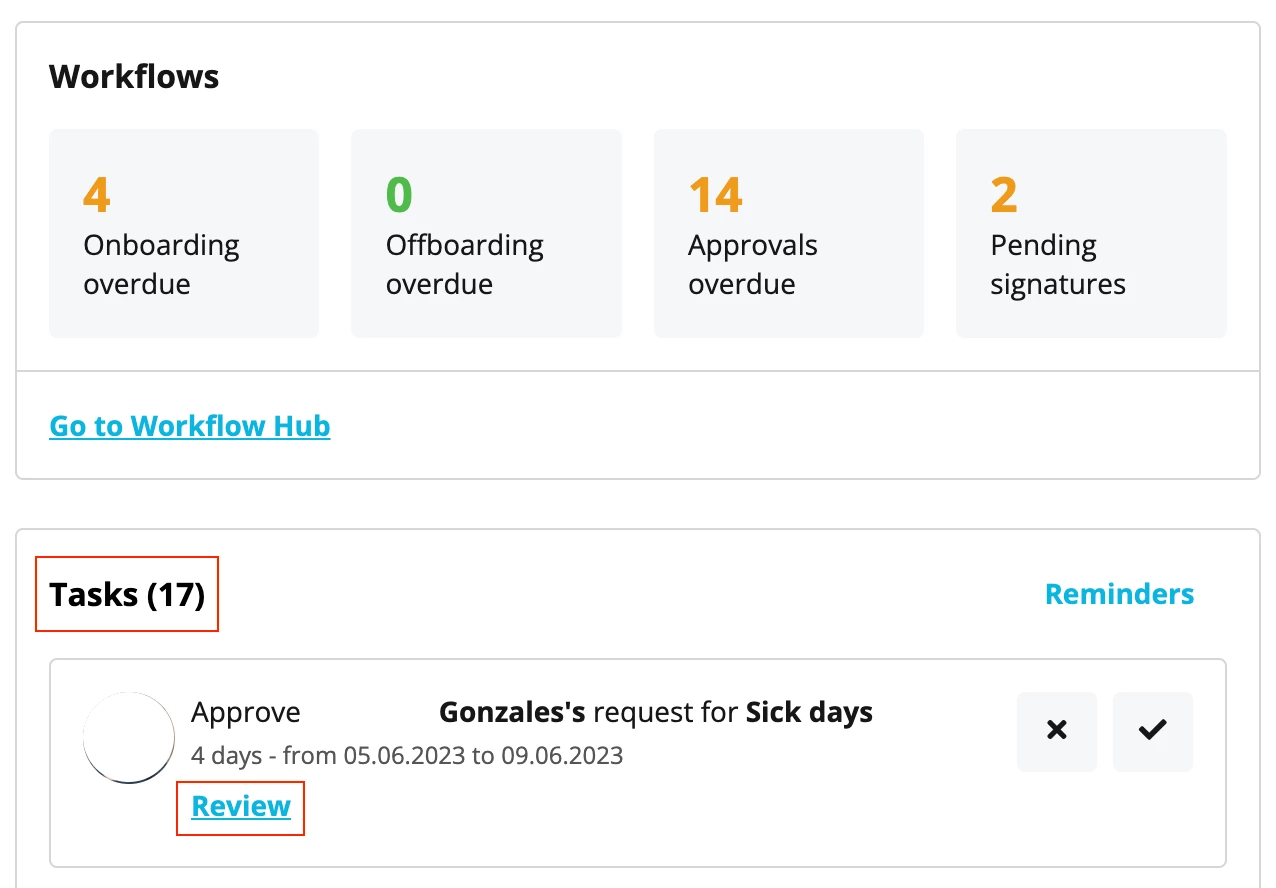
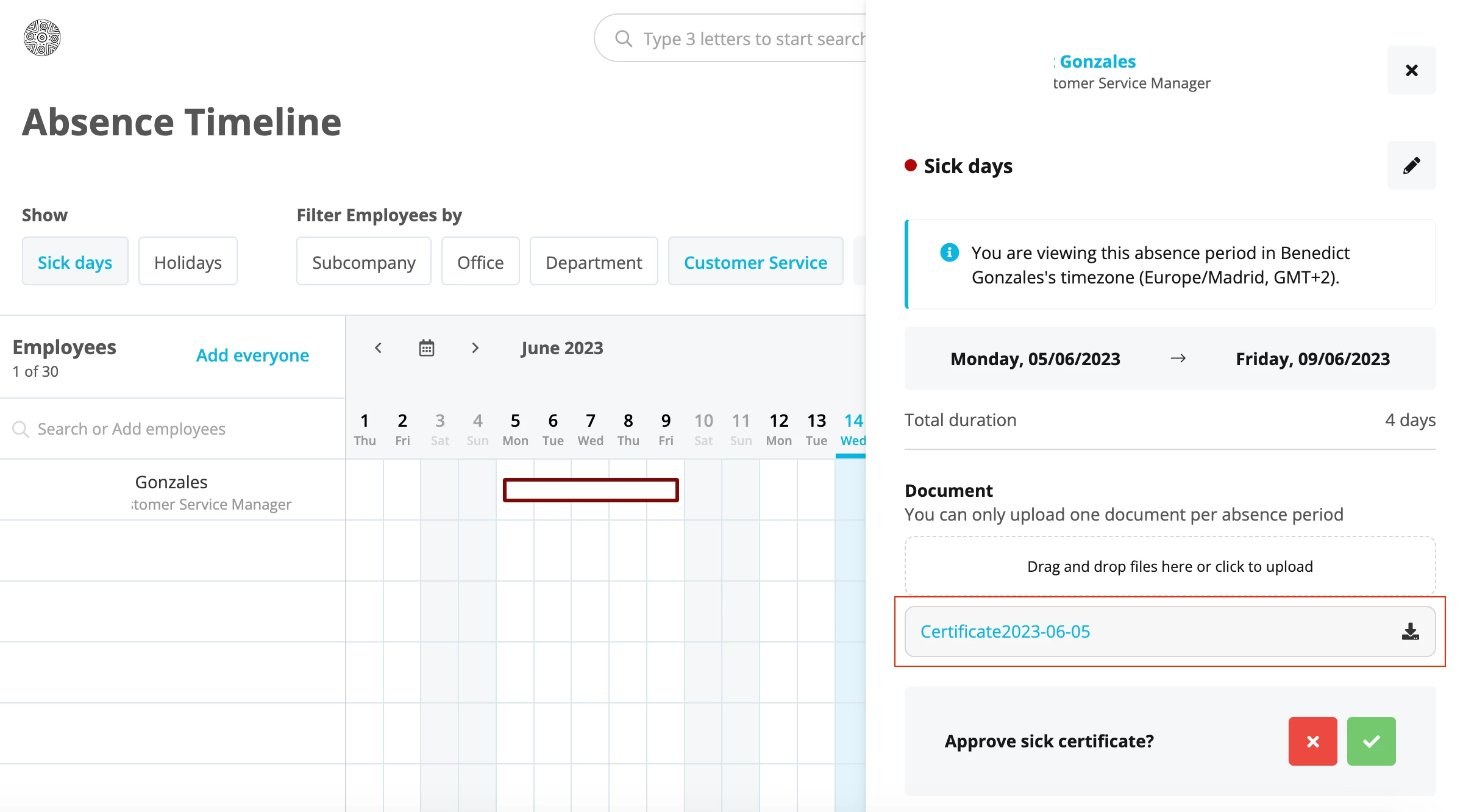
After clicking on Review, you will get the following screen where you can actually see all the request details and, you also have the option to approve or decline it.
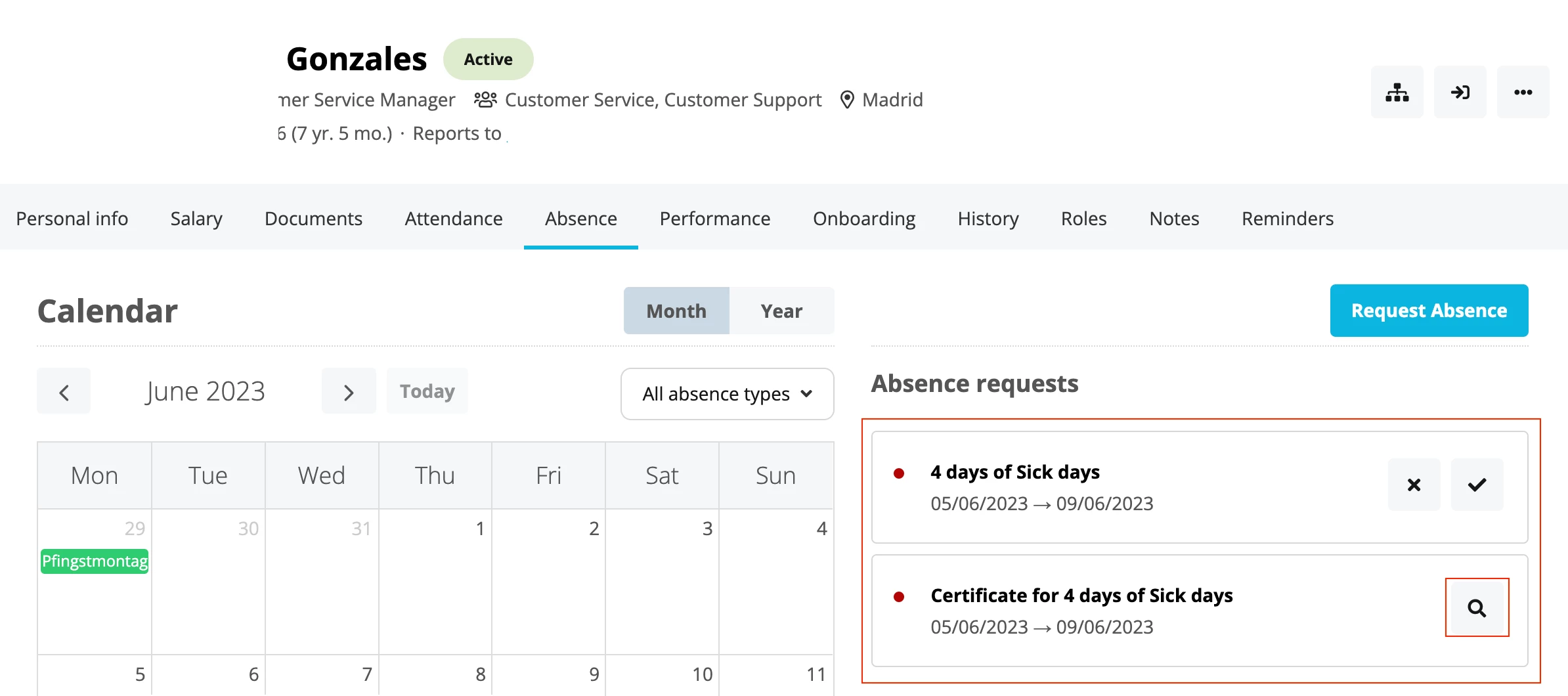
You can always visit the Employee profile and under the Absence tab, you can see the Absence requests. Even if you go to the Calendar and click on the absence, you would be able to review it.
I hope this is helpful! Please let me know if there is anything else I can support you with.
I wish you a lovely afternoon!
Best,
Zulema
Bitte benutze für die Registrierung die gleiche E-Mail-Adresse, die Du auch zum Login in Deinem Personio Account benutzt. Dies erleichtert es uns, Dir effektiv und effizient zu helfen, wenn wir z.B. etwas in Deinem Account überprüfen müssen. Bereits registriert? > Anmelden
Achtung: Dein öffentlicher Benutzername darf keine persönlichen Informationen wie E-Mail oder andere private Daten enthalten!
Die Service und Networking Community für alle Personio Kund*innen und HRler*innen. Solltest Du Dich noch nicht registriert haben, klicke bitte unten auf "Benutzerkonto erstellen". Benutzerkonto erstellen
Enter your E-mail address. We'll send you an e-mail with instructions to reset your password.


