Hi, how can our employees get the QR code or PIN in the Personio app?
Pulling the QR & PIN list and distributing it is all well and good, but do employees then have to manually save this somewhere on their phones, or is there a way to store it directly in the Personio app? Printing out a QR code and always carrying a piece of paper or saving it somewhere on the phone doesn’t seem practical to me.
Thank you!
Beste Antwort von Sofia V.
Hi @Nora_N,
I assume that for the employees the Entrance app is enabled? If you wouldn’t like for the employees to use the Entrance app (with QR and pin) you can unable this by going to Settings > Attendance > Tracking profiles > Entrance app.
When turning this off the employees must enter a password when login within Personio.
I assume that for the employees the Entrance app is enabled? If you wouldn’t like for the employees to use the Entrance app (with QR and pin) you can unable this by going to Settings > Attendance > Tracking profiles > Entrance app.
When turning this off the employees must enter a password when login within Personio.
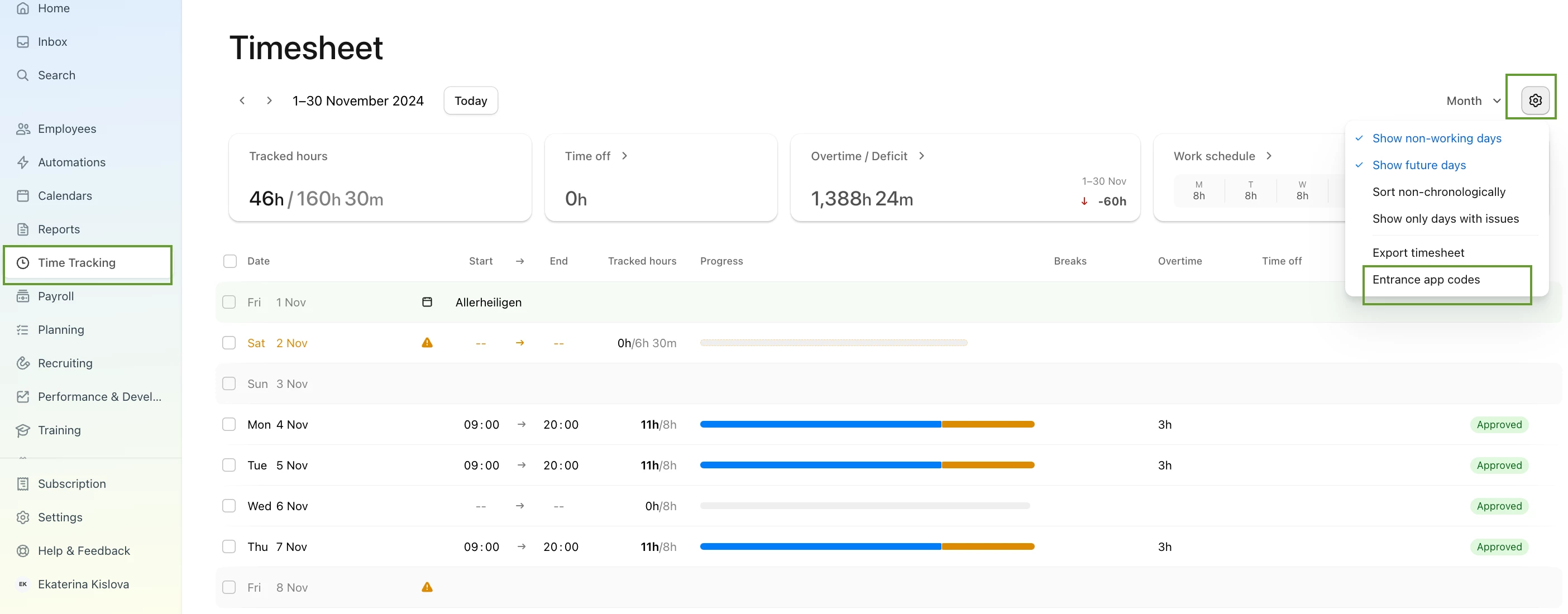
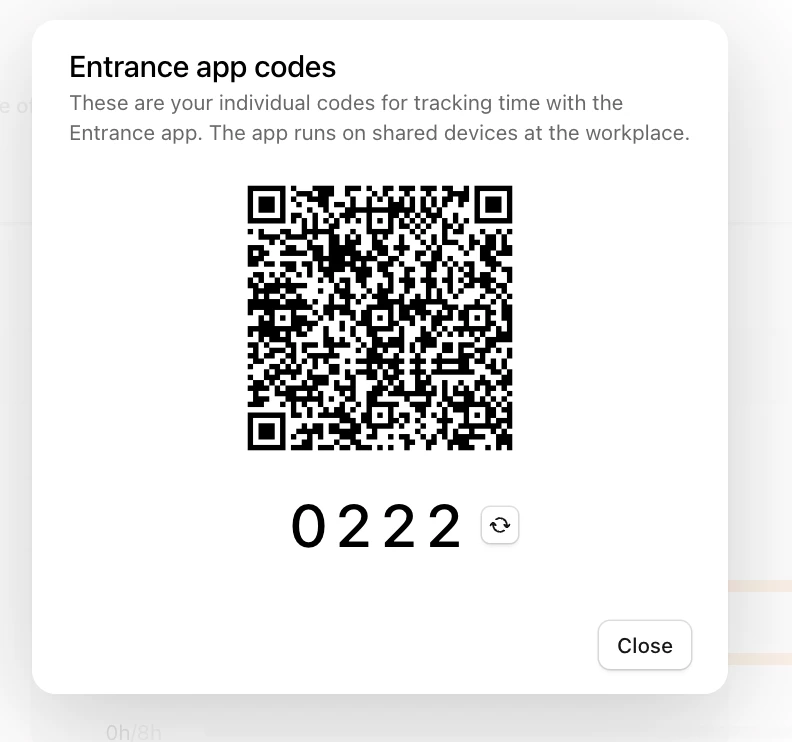
Employees can access their QR codes and PIN codes on the Time Tracking page (see screenshots).
For Android phones, the QR code can be easily added to the Wallet app by scanning it with the phone camera.
For iPhones, the QR code needs to be saved manually. We’ll be improving this process in future product updates.
Let us know if you have any further questions!
⚠️Achtung! Dieses Thema könnte veraltet sein
Dieses Thema wurde vor mehr als erstellt. Unser Produkt entwickelt sich schnell weiter — stelle gerne eine neue Frage, um die aktuellsten Infos zu bekommen.
Werde Teil der Personio Voyager Community!
Bitte benutze für die Registrierung die gleiche E-Mail-Adresse, die Du auch zum Login in Deinem Personio Account benutzt. Dies erleichtert es uns, Dir effektiv und effizient zu helfen, wenn wir z.B. etwas in Deinem Account überprüfen müssen. Bereits registriert? > Anmelden
Achtung: Dein öffentlicher Benutzername darf keine persönlichen Informationen wie E-Mail oder andere private Daten enthalten!
Herzlich willkommen in der Personio Voyager Community.
Die Service und Networking Community für alle Personio Kund*innen und HRler*innen. Solltest Du Dich noch nicht registriert haben, klicke bitte unten auf "Benutzerkonto erstellen". Benutzerkonto erstellen
Enter your E-mail address. We'll send you an e-mail with instructions to reset your password.