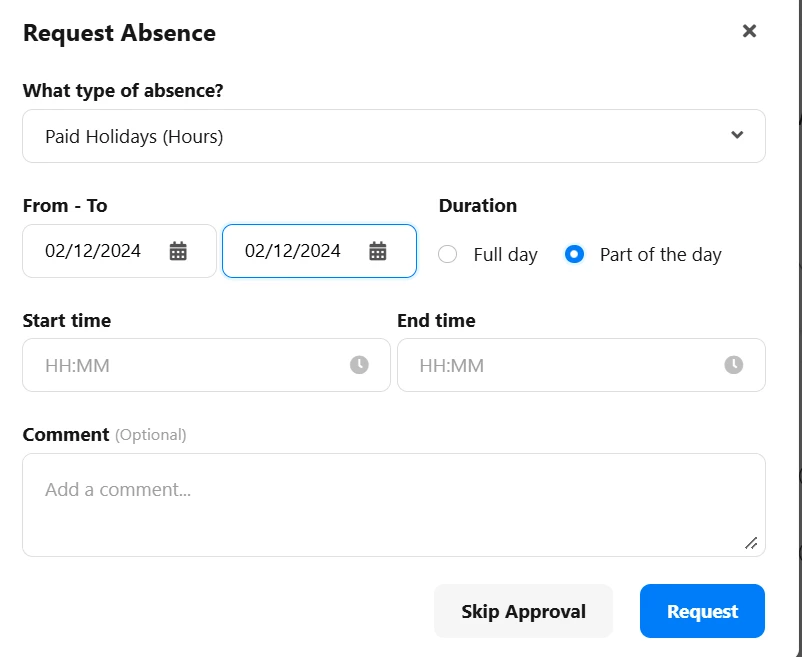
We have our holiday’s set to hours and what this means is that individuals are then able to set the hours they want off. Is there a way to turn off this feature?
For Half-day holidays we don’t want people to be able to set the hours so that they only take an hour. We want it to either be the morning off or the afternoon off only
Beste Antwort von Mara A
Hi @AmandaMasuku,
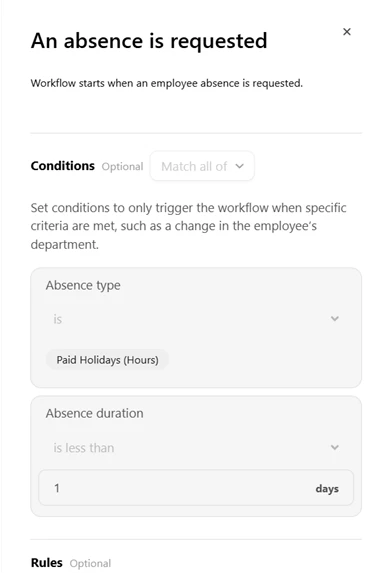
the Absence duration condition, for custom workflows, is currently applicable only to Absences tracked in days. If you would like to have this condition also for Absences tracked in hours, feel free to inform our product team via the Give feedback functionality available in your Personio account.
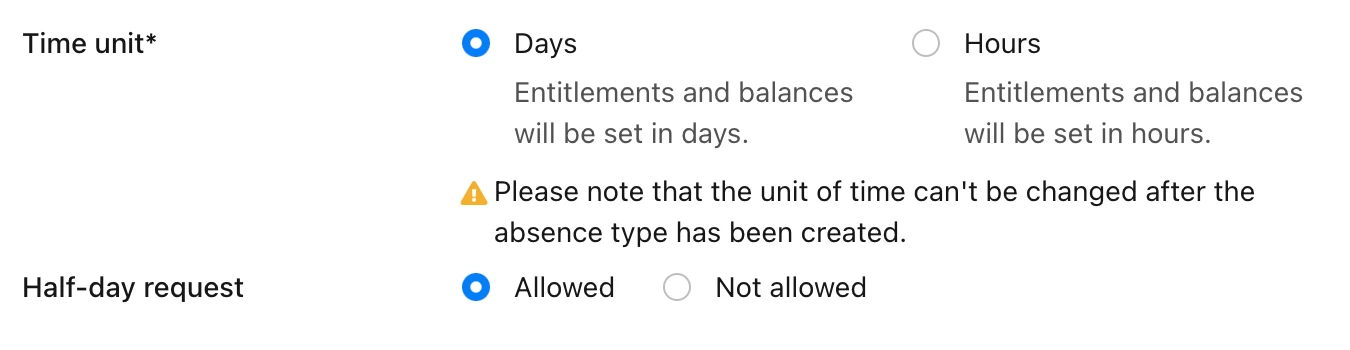
If you want the employees to only be able to request half-day absences, and not single hours, I suggest following the solution proposed by @HRJoy. If you navigate to Settings > Work Hours and Absences > Absence, you can create a new absence type, choose Days for Time unit, and enable the Half-day request option:
Please ensure that the Access rights and Accrual policies for the employees are updated, allowing them to request the new absence type instead of the current one. Additional details can be found in our Helpcenter article Create absence types.
Hi - I think the only way to ensure people only book in half days or full days, and not random hours, is to have annual leave set in days rather than hours.
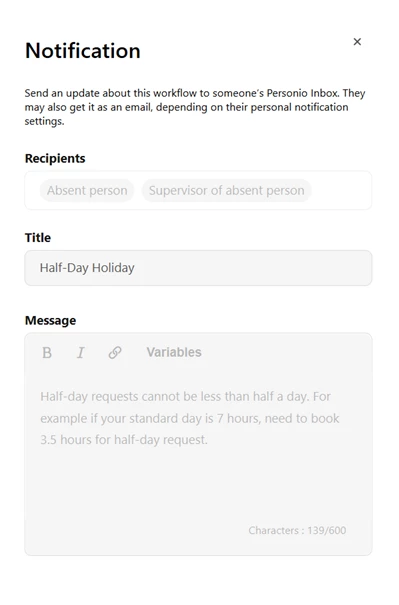
Okay I’ve tried to build a workflow instead that would notify the employee and line manager to make they’ve booked a full half-day. I had no issues creating the workflow but when I went to test it, it did not trigger at all?
the Absence duration condition, for custom workflows, is currently applicable only to Absences tracked in days. If you would like to have this condition also for Absences tracked in hours, feel free to inform our product team via the Give feedback functionality available in your Personio account.
If you want the employees to only be able to request half-day absences, and not single hours, I suggest following the solution proposed by @HRJoy. If you navigate to Settings > Work Hours and Absences > Absence, you can create a new absence type, choose Days for Time unit, and enable the Half-day request option:
Please ensure that the Access rights and Accrual policies for the employees are updated, allowing them to request the new absence type instead of the current one. Additional details can be found in our Helpcenter article Create absence types.
Best Mara
⚠️Achtung! Dieses Thema könnte veraltet sein
Dieses Thema wurde vor mehr als erstellt. Unser Produkt entwickelt sich schnell weiter — stelle gerne eine neue Frage, um die aktuellsten Infos zu bekommen.
Werde Teil der Personio Voyager Community!
Bitte benutze für die Registrierung die gleiche E-Mail-Adresse, die Du auch zum Login in Deinem Personio Account benutzt. Dies erleichtert es uns, Dir effektiv und effizient zu helfen, wenn wir z.B. etwas in Deinem Account überprüfen müssen. Bereits registriert? > Anmelden
Achtung: Dein öffentlicher Benutzername darf keine persönlichen Informationen wie E-Mail oder andere private Daten enthalten!
Herzlich willkommen in der Personio Voyager Community.
Die Service und Networking Community für alle Personio Kund*innen und HRler*innen. Solltest Du Dich noch nicht registriert haben, klicke bitte unten auf "Benutzerkonto erstellen". Benutzerkonto erstellen
Enter your E-mail address. We'll send you an e-mail with instructions to reset your password.