Our Management regularly want to see recruitment reports from personio, for instance on open req (Jobs). The idea is to present : Job, dept, Manager, and have a brief pipeline overview.
I have been looking for a while but have been struggling with the recruitment reports as they are now and the custom report function does not allow to create recruitment reports since the variable “jobs” does not seem to be possible.
I tried through applications, but you cannot filter with published
Thank you in advance!
Beste Antwort von International Support Team
Hi @LouP.,
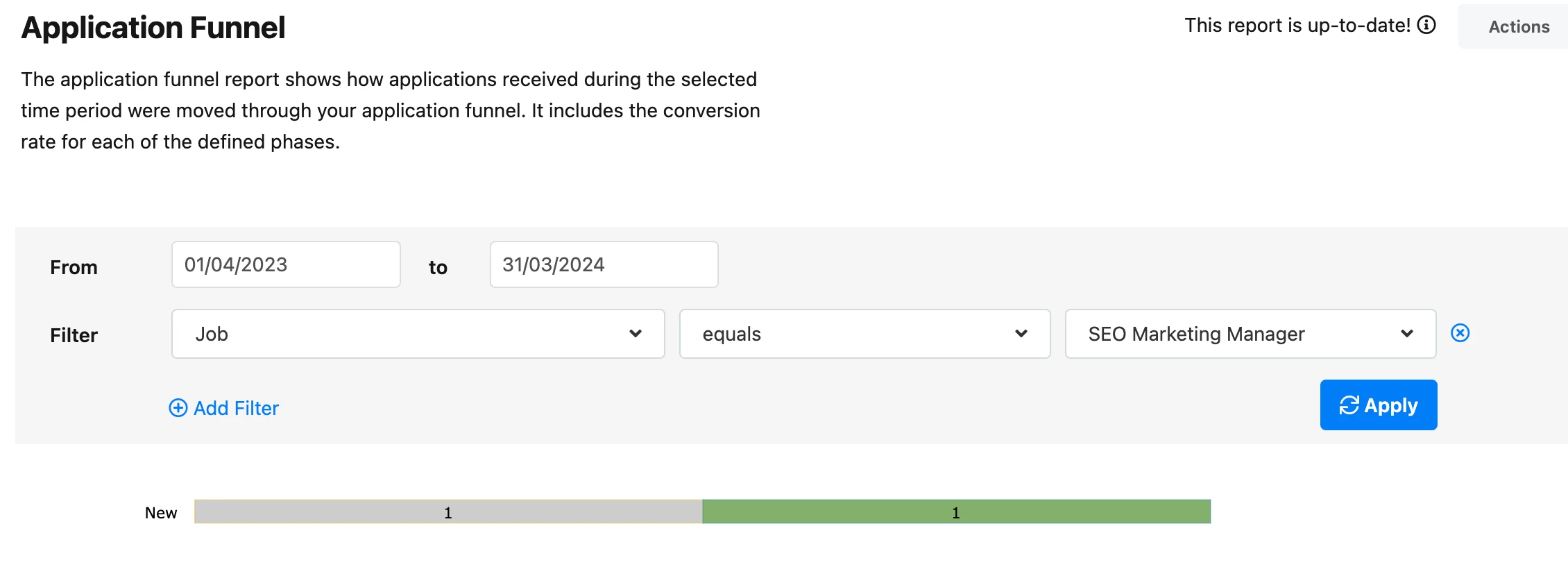
We have the System report Application Funnel, the application funnel report shows how applications received during the selected time period were moved through your application funnel. It includes the conversion rate for each of the defined phases. Unfortunately this report doesn’t show the Department or Supervisor / Line Manager.
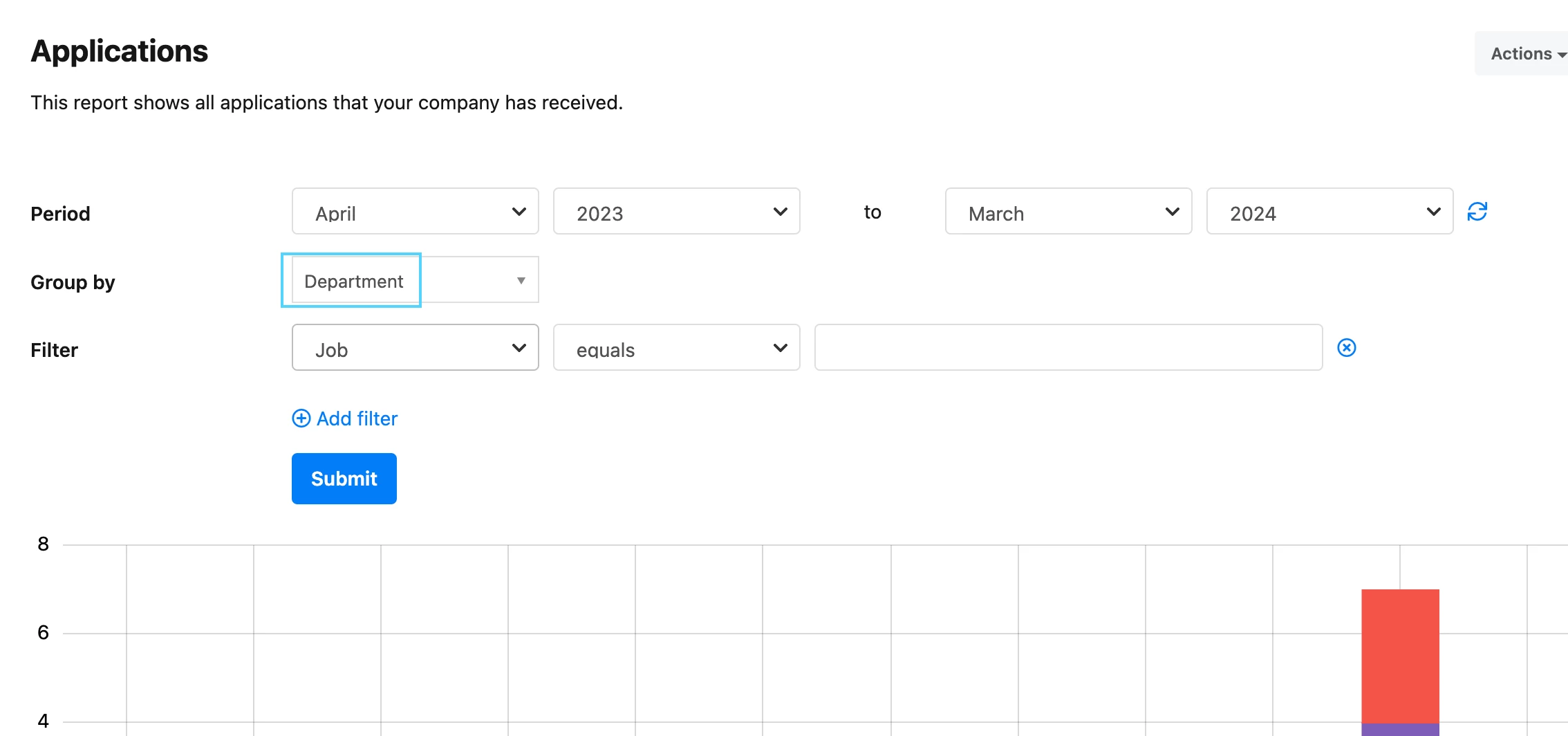
Also we have the System report: Applications, this report shows all applications that your company has received. This report does include: Department in the filter:
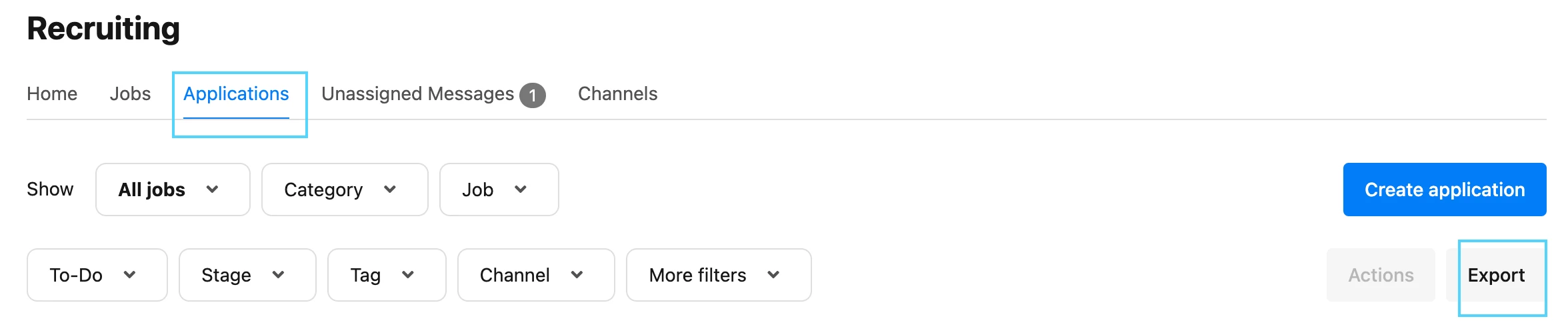
Another possibility is to go the Recruiting > Applications > Export. Here you can export information regarding: Job, Department and you have other attributes that can be filtered, unfortunately you cannot filter the Line Manager:
We have the System report Application Funnel, the application funnel report shows how applications received during the selected time period were moved through your application funnel. It includes the conversion rate for each of the defined phases. Unfortunately this report doesn’t show the Department or Supervisor / Line Manager.
Also we have the System report: Applications, this report shows all applications that your company has received. This report does include: Department in the filter:
Another possibility is to go the Recruiting > Applications > Export. Here you can export information regarding: Job, Department and you have other attributes that can be filtered, unfortunately you cannot filter the Line Manager:
Thank you very much for sharing your feedback with us!
I wish you an amazing day.
Best,
Sofia
⚠️Achtung! Dieses Thema könnte veraltet sein
Dieses Thema wurde vor mehr als erstellt. Unser Produkt entwickelt sich schnell weiter — stelle gerne eine neue Frage, um die aktuellsten Infos zu bekommen.
Werde Teil der Personio Voyager Community!
Bitte benutze für die Registrierung die gleiche E-Mail-Adresse, die Du auch zum Login in Deinem Personio Account benutzt. Dies erleichtert es uns, Dir effektiv und effizient zu helfen, wenn wir z.B. etwas in Deinem Account überprüfen müssen. Bereits registriert? > Anmelden
Achtung: Dein öffentlicher Benutzername darf keine persönlichen Informationen wie E-Mail oder andere private Daten enthalten!
Herzlich willkommen in der Personio Voyager Community.
Die Service und Networking Community für alle Personio Kund*innen und HRler*innen. Solltest Du Dich noch nicht registriert haben, klicke bitte unten auf "Benutzerkonto erstellen". Benutzerkonto erstellen
Enter your E-mail address. We'll send you an e-mail with instructions to reset your password.