Can someone please guide me through how to hide employees birthday reminder from dashboard?
Can I do this for a specific employee? We have an employee who requests to hide this information from the reminder appearing on public dashboard.
Appreciated any advice.
Thank you.
Beste Antwort von International Support Team
Hi @ccPerson,
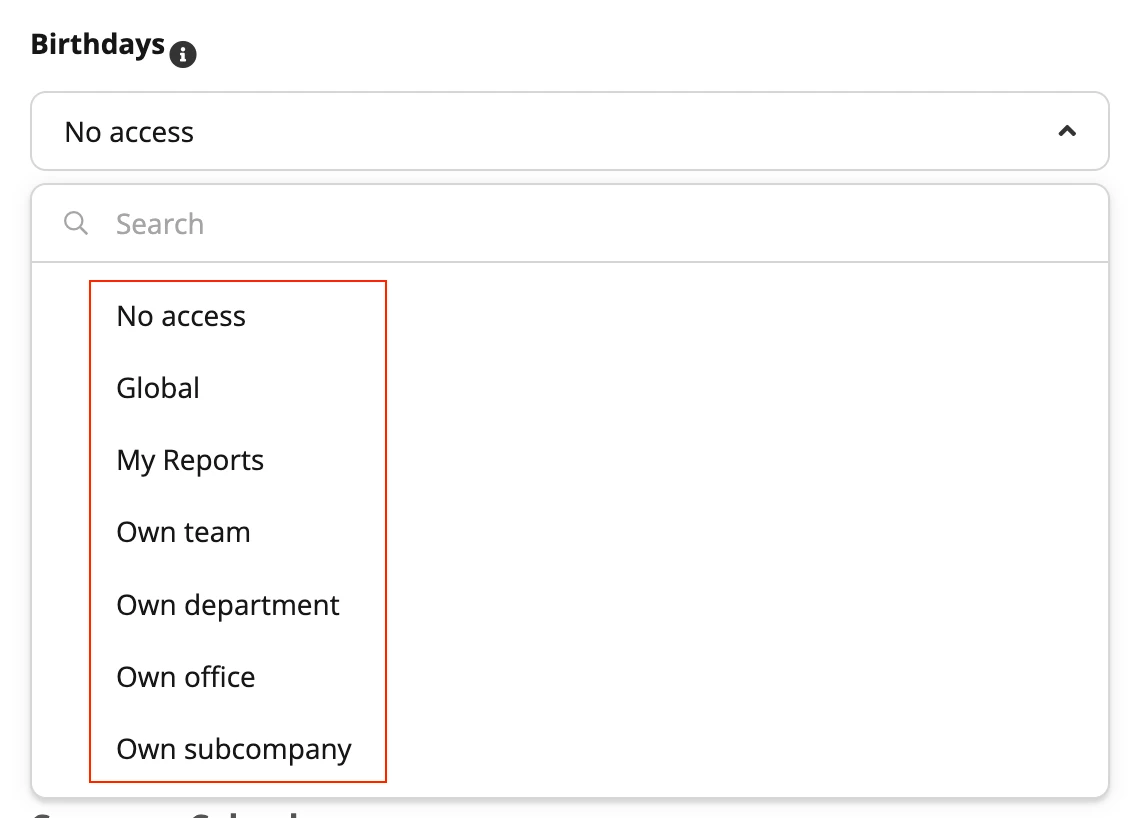
Welcome to the Personio Community, we are thrilled to see you here . Currently, the availability to be able to see the Birthdays widget that displays current and upcoming birthdays in the company is connected to the Access rights for the Calendars for the different employee roles. The way you can set up who can see it is the following:
In order to check your configuration you can go to Settings > People > Employee Roles > All employees > Calendars and under the Birthday section you can select between the above options. You can also check the rest of employee roles to see how they are set up.
If you want to do it for a specific employee you can remove the date in the preset attribute Birthday and leave it empty so the system won’t trigger the reminder. For that, you have to go to the Employee profile, to allocate the Birthday attribute and to click on Edit and delete the date. Don’t forget to Submit the changes. You can always Create a Custom Attribute for this information to be stored, if needed, for business purposes.
Welcome to the Personio Community, we are thrilled to see you here . Currently, the availability to be able to see the Birthdays widget that displays current and upcoming birthdays in the company is connected to the Access rights for the Calendars for the different employee roles. The way you can set up who can see it is the following:
In order to check your configuration you can go to Settings > People > Employee Roles > All employees > Calendars and under the Birthday section you can select between the above options. You can also check the rest of employee roles to see how they are set up.
If you want to do it for a specific employee you can remove the date in the preset attribute Birthday and leave it empty so the system won’t trigger the reminder. For that, you have to go to the Employee profile, to allocate the Birthday attribute and to click on Edit and delete the date. Don’t forget to Submit the changes. You can always Create a Custom Attribute for this information to be stored, if needed, for business purposes.
I hope this helps you! 🙌🏼 Please let me know if you have any doubt about it!
Have a good rest of the day! 😃
Best,
Zulema
⚠️Achtung! Dieses Thema könnte veraltet sein
Dieses Thema wurde vor mehr als erstellt. Unser Produkt entwickelt sich schnell weiter — stelle gerne eine neue Frage, um die aktuellsten Infos zu bekommen.
Werde Teil der Personio Voyager Community!
Bitte benutze für die Registrierung die gleiche E-Mail-Adresse, die Du auch zum Login in Deinem Personio Account benutzt. Dies erleichtert es uns, Dir effektiv und effizient zu helfen, wenn wir z.B. etwas in Deinem Account überprüfen müssen. Bereits registriert? > Anmelden
Achtung: Dein öffentlicher Benutzername darf keine persönlichen Informationen wie E-Mail oder andere private Daten enthalten!
Herzlich willkommen in der Personio Voyager Community.
Die Service und Networking Community für alle Personio Kund*innen und HRler*innen. Solltest Du Dich noch nicht registriert haben, klicke bitte unten auf "Benutzerkonto erstellen". Benutzerkonto erstellen
Enter your E-mail address. We'll send you an e-mail with instructions to reset your password.




 .
.