Part of our company onboarding process is that every new team member has to provide some essential data. We send word document file for a new employee to fulfil it. This data is entered then into Personio manually. To ease this process we would like to have this form available online on the Personio system. The email with this form is sent to a private email of a new employee and entered data is automatically saved in the profile.
How to create such a form in Personio?
And which options can you suggest to achieve such a result?
Thank you! 🤗
Beste Antwort von International Support Team
Hey @Art
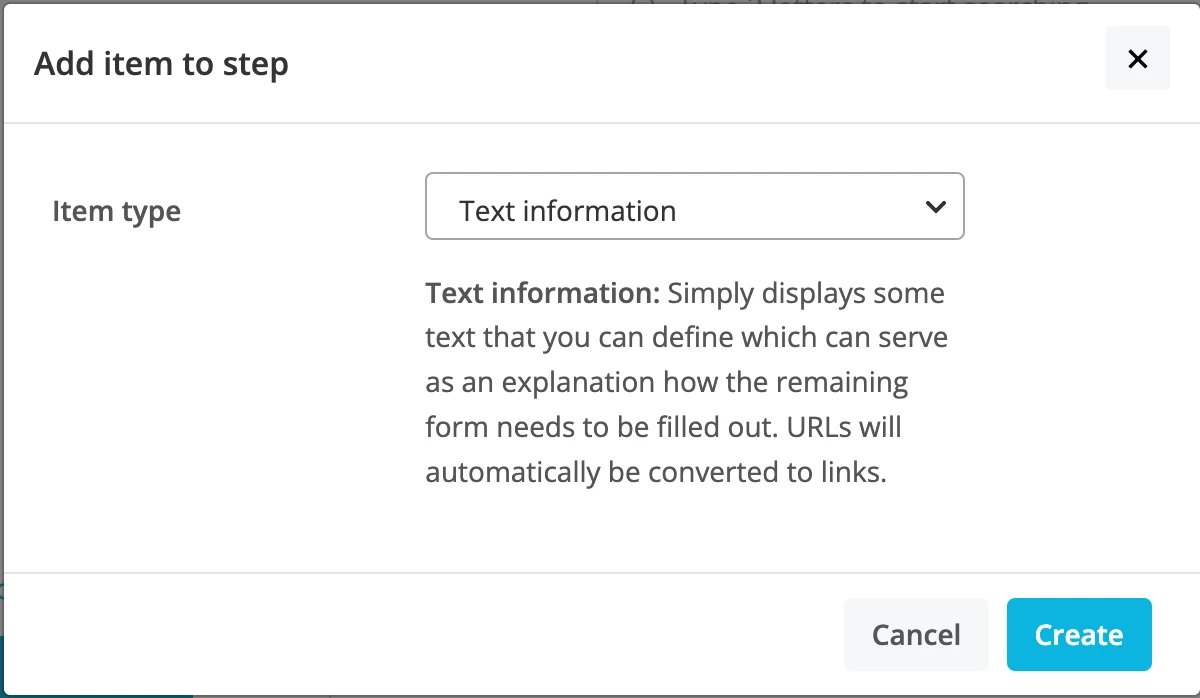
Well first of all before you may need the form, we actually have the ability to ask the employee through an Onboarding Step to enter attributes into their profile. For example, if you navigate to Settings > On/Offboarding > Steps > Create a new step > Click on Add item.
First I would enter a Text information to input the requested information that was originally in your form.
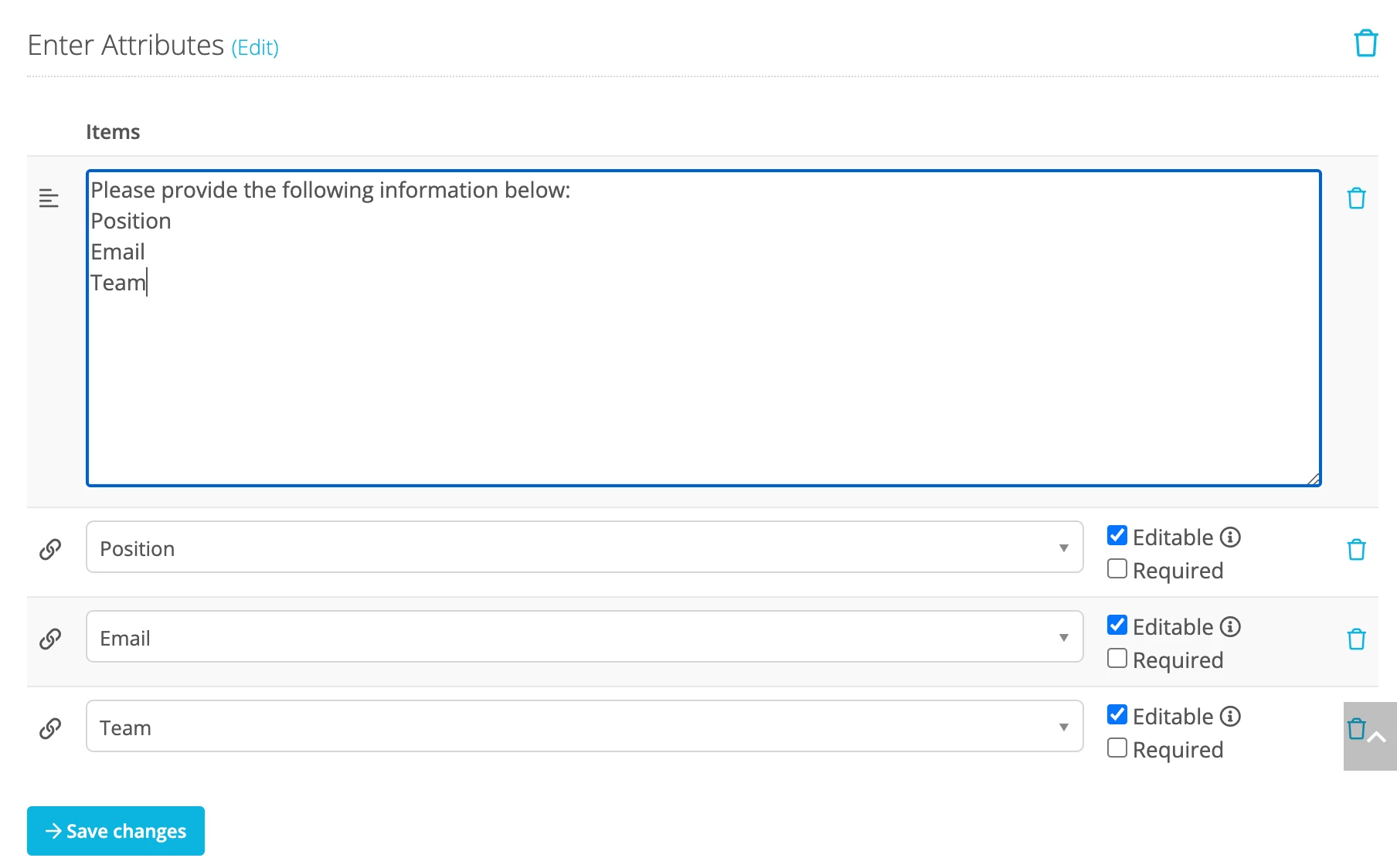
Then next you will select Add item again and choose the Employee attribute option. This allows the employee to enter the requested information into Personio themselves and below in my example I have asked them to enter the information about Position, Email & Team.
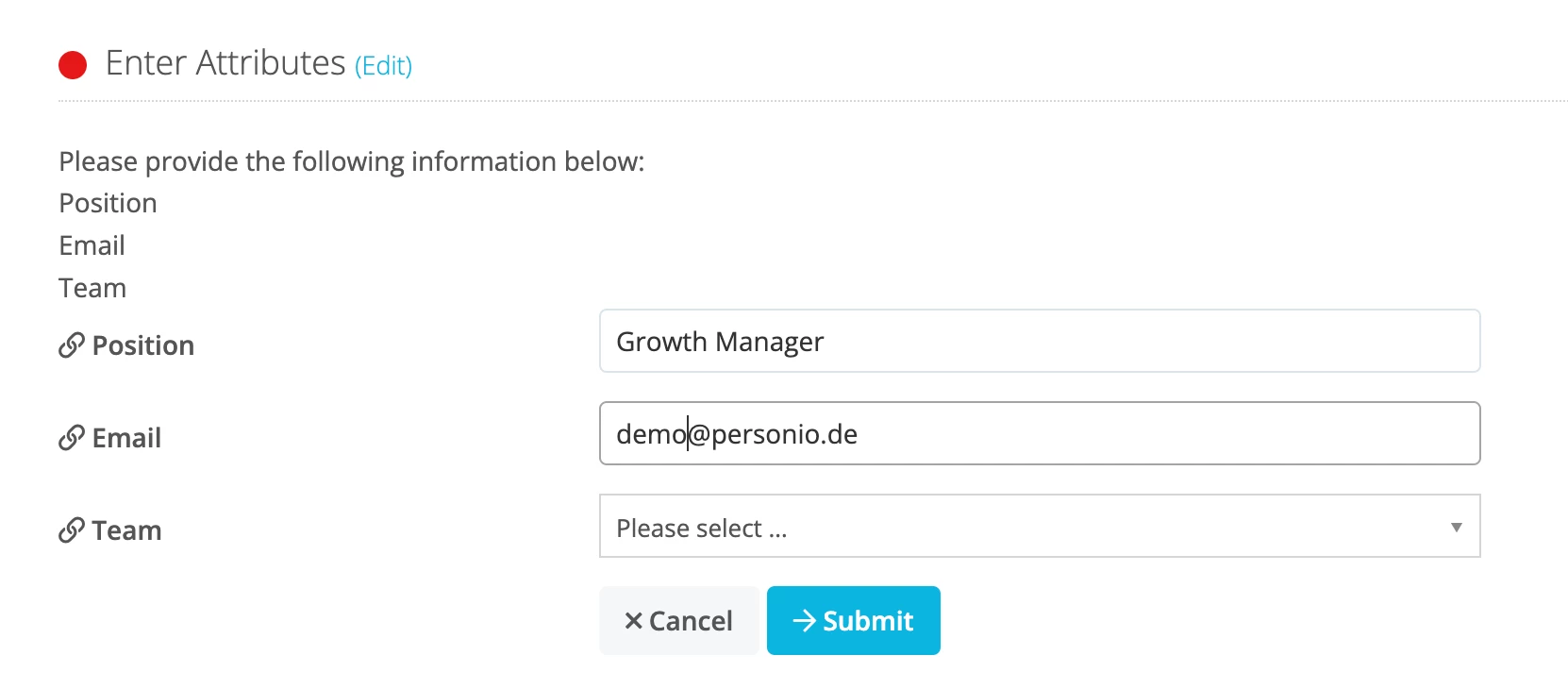
When you assign the step to the employee, this is how it will look:
So this cuts out the need to email a form. Instead you can include information about the requested information in the text box and then by selecting the attributes you want them to enter, it allows them to do this instead of the need for you to enter this.
Well first of all before you may need the form, we actually have the ability to ask the employee through an Onboarding Step to enter attributes into their profile. For example, if you navigate to Settings > On/Offboarding > Steps > Create a new step > Click on Add item.
First I would enter a Text information to input the requested information that was originally in your form.
Then next you will select Add item again and choose the Employee attribute option. This allows the employee to enter the requested information into Personio themselves and below in my example I have asked them to enter the information about Position, Email & Team.
When you assign the step to the employee, this is how it will look:
So this cuts out the need to email a form. Instead you can include information about the requested information in the text box and then by selecting the attributes you want them to enter, it allows them to do this instead of the need for you to enter this.
Dieses Thema wurde vor mehr als erstellt. Unser Produkt entwickelt sich schnell weiter — stelle gerne eine neue Frage, um die aktuellsten Infos zu bekommen.
Werde Teil der Personio Voyager Community!
Bitte benutze für die Registrierung die gleiche E-Mail-Adresse, die Du auch zum Login in Deinem Personio Account benutzt. Dies erleichtert es uns, Dir effektiv und effizient zu helfen, wenn wir z.B. etwas in Deinem Account überprüfen müssen. Bereits registriert? > Anmelden
Achtung: Dein öffentlicher Benutzername darf keine persönlichen Informationen wie E-Mail oder andere private Daten enthalten!
Herzlich willkommen in der Personio Voyager Community.
Die Service und Networking Community für alle Personio Kund*innen und HRler*innen. Solltest Du Dich noch nicht registriert haben, klicke bitte unten auf "Benutzerkonto erstellen". Benutzerkonto erstellen
Enter your E-mail address. We'll send you an e-mail with instructions to reset your password.