


Dear community,
We would love to sync the related office addresses to user profiles in Azure/Entra AD. Would there be a solution in which we don’t have to add address attributes to the user profiles in Personio? Could the integration take the addresses for each offices from Personio Settings → Offices?
How are you syncing the office adresses per profile?

Answered
Office address synced with Azure/Entra AD to user profile
- Follower
Beste Antwort von International Support Team
Hi
You can choose to which attribute in Azure you want to map it. Only the actual value of Office will be transmitted. So if it says "Madrid", that's what is transmitted. Not the address details that is in Settings > Offices.
If you would like that, you would have to create new attributes for those details, and via the Employee List, fill those details in for many employees in bulk.
Step 1:
Go to Settings > Employee information > Add attribute.

Step 2:
Employees > Employee list > Select the relevant employees > Edit profile > Actions > Select relevant new attribute > New value.
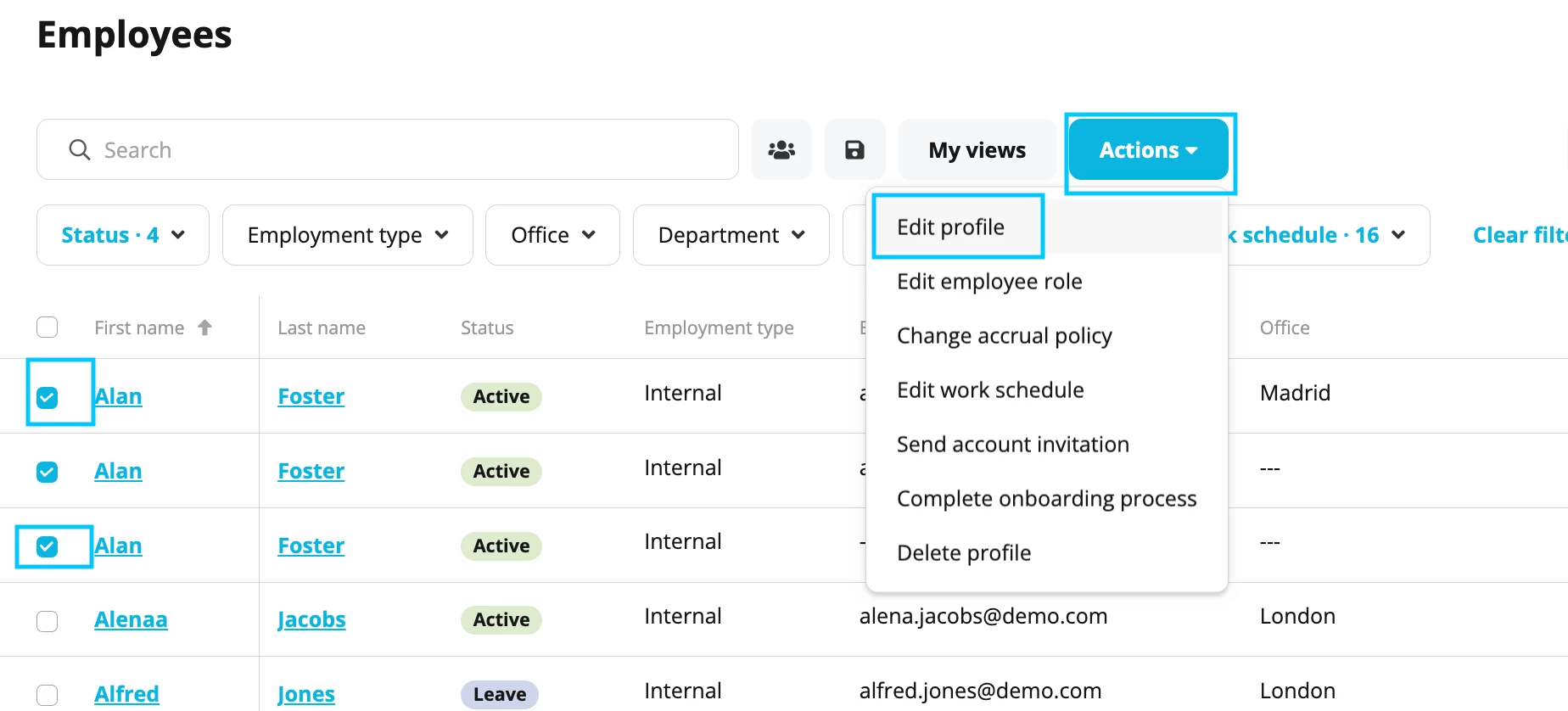
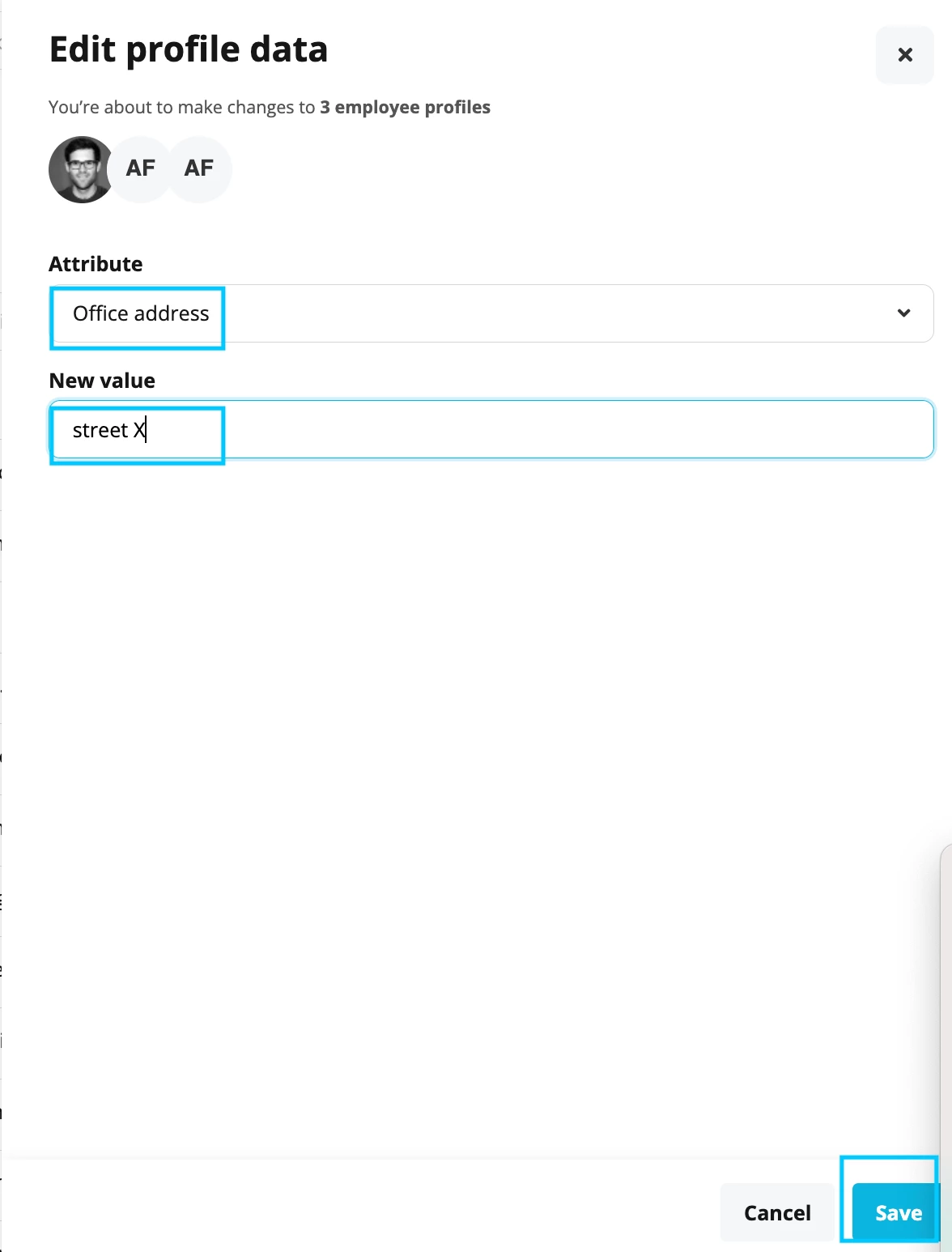
I hope this helps! Here you will find more information regarding: Create custom sections and attributes.
Hope you have a lovely day.
Best,
Sofia



Werde Teil der Personio Voyager Community!
Bitte benutze für die Registrierung die gleiche E-Mail-Adresse, die Du auch zum Login in Deinem Personio Account benutzt. Dies erleichtert es uns, Dir effektiv und effizient zu helfen, wenn wir z.B. etwas in Deinem Account überprüfen müssen. Bereits registriert? > Anmelden
Achtung: Dein öffentlicher Benutzername darf keine persönlichen Informationen wie E-Mail oder andere private Daten enthalten!
Herzlich willkommen in der Personio Voyager Community.
Die Service und Networking Community für alle Personio Kund*innen und HRler*innen. Solltest Du Dich noch nicht registriert haben, klicke bitte unten auf "Benutzerkonto erstellen". Benutzerkonto erstellen
Enter your E-mail address. We'll send you an e-mail with instructions to reset your password.