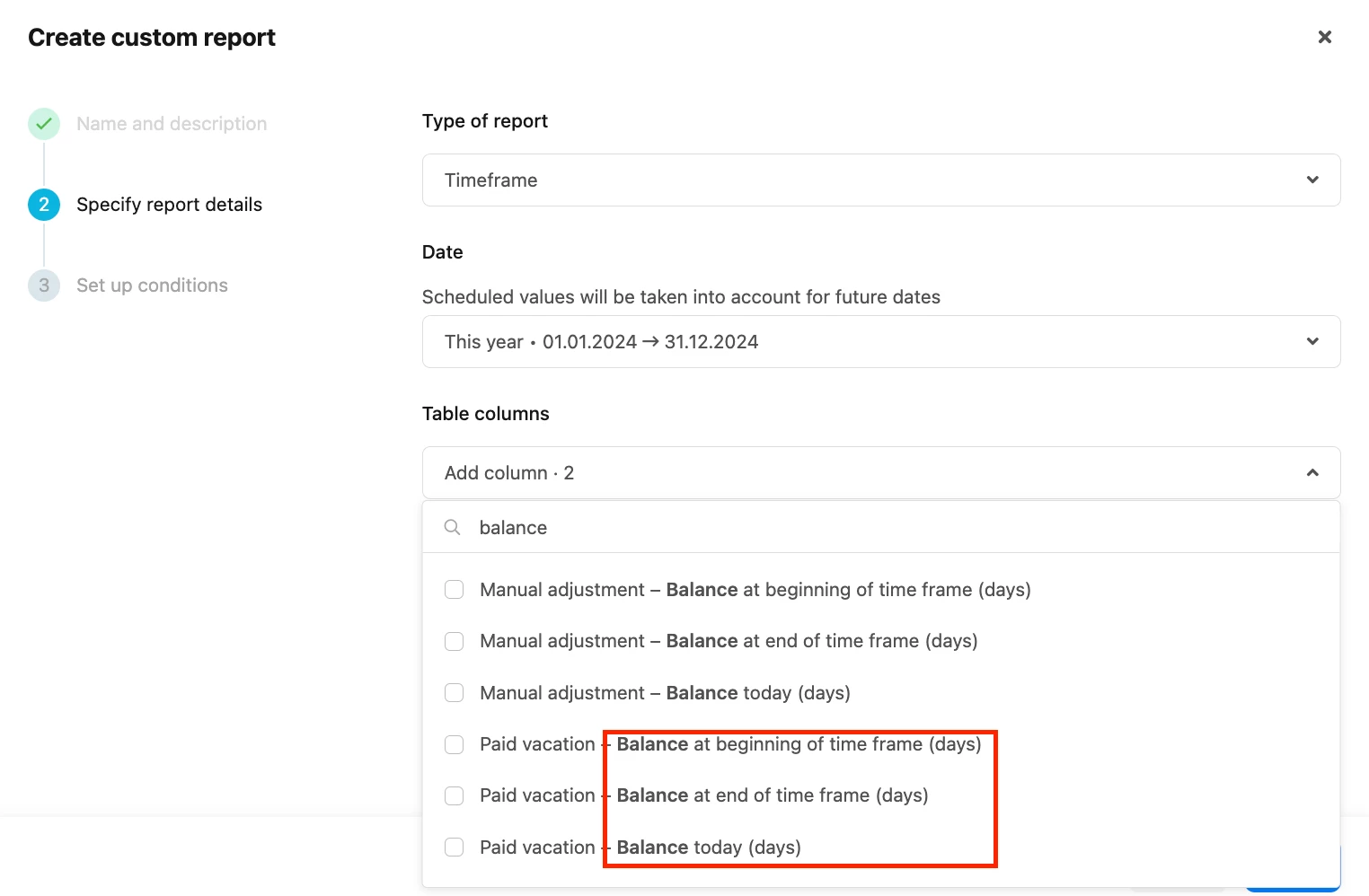
Same Employee but reporting giving totally different result to in profile.
In essence, we are running a report to flag to us any individuals who might still have a lot of days available (Balance) so we can encourage them to take holiday. (we don’t want people to burnout).
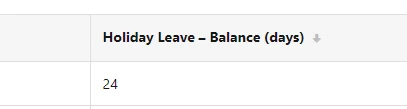
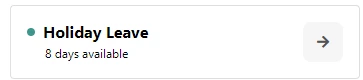
Yet reporting is showing Balance as something completely different from Days Available.
In Reporting
In Profile
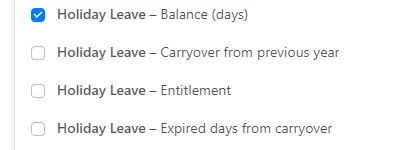
Options in Reporting to select:
Beste Antwort von Weena
Hi @JHBEM, 😊
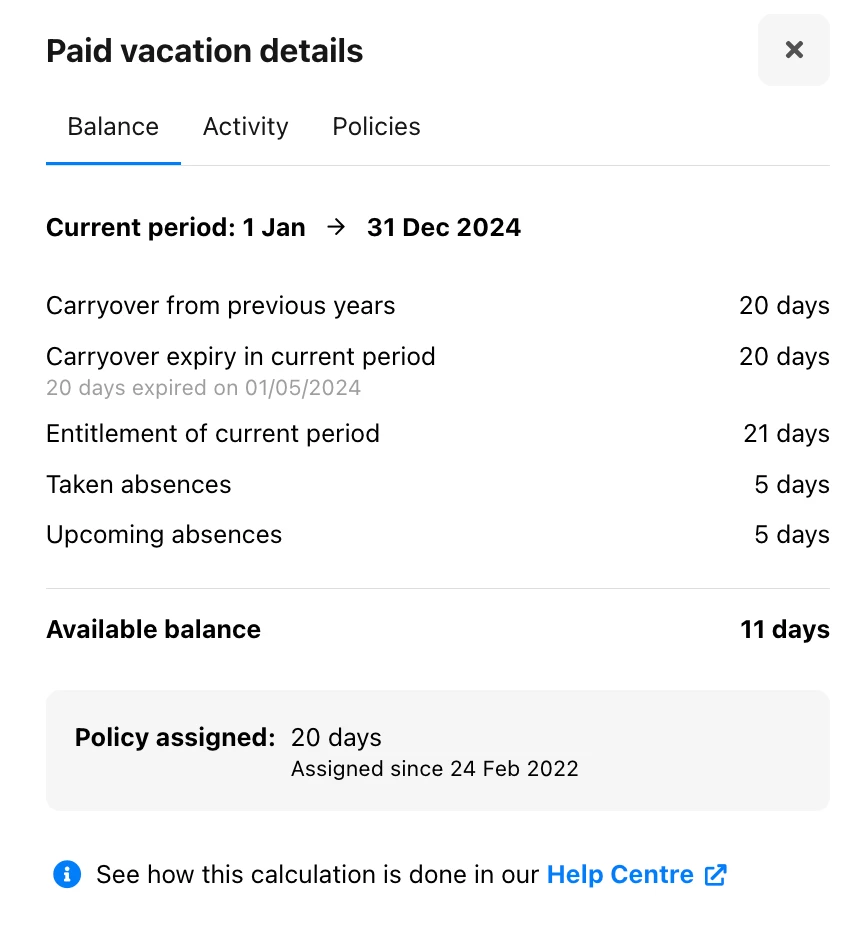
In the Absence tab of employees, the Available balance includes:
Any valid Carryover
Entitlement of the current period
Days taken
Days planned for the current period
In the Custom report, there are multiple factors to consider:
Report type
Date/ periods
Table column for absence balance
When using a Point in time custom report, the balance available is for a specific day. For example, if the selected date is today’s date, the balance includes:
Any valid Carryover
Entitlement of the current period
Days taken
If the date is in the future, the balance will include the days planned as well.
The same logic applies to a Timeframe custom report. However, it is possible to select more options for the available balance at the beginning and/or the end of the selected period.
You can review the different options for Custom reports in our Helpcenter article:
In the Absence tab of employees, the Available balance includes:
Any valid Carryover
Entitlement of the current period
Days taken
Days planned for the current period
In the Custom report, there are multiple factors to consider:
Report type
Date/ periods
Table column for absence balance
When using a Point in time custom report, the balance available is for a specific day. For example, if the selected date is today’s date, the balance includes:
Any valid Carryover
Entitlement of the current period
Days taken
If the date is in the future, the balance will include the days planned as well.
The same logic applies to a Timeframe custom report. However, it is possible to select more options for the available balance at the beginning and/or the end of the selected period.
You can review the different options for Custom reports in our Helpcenter article:
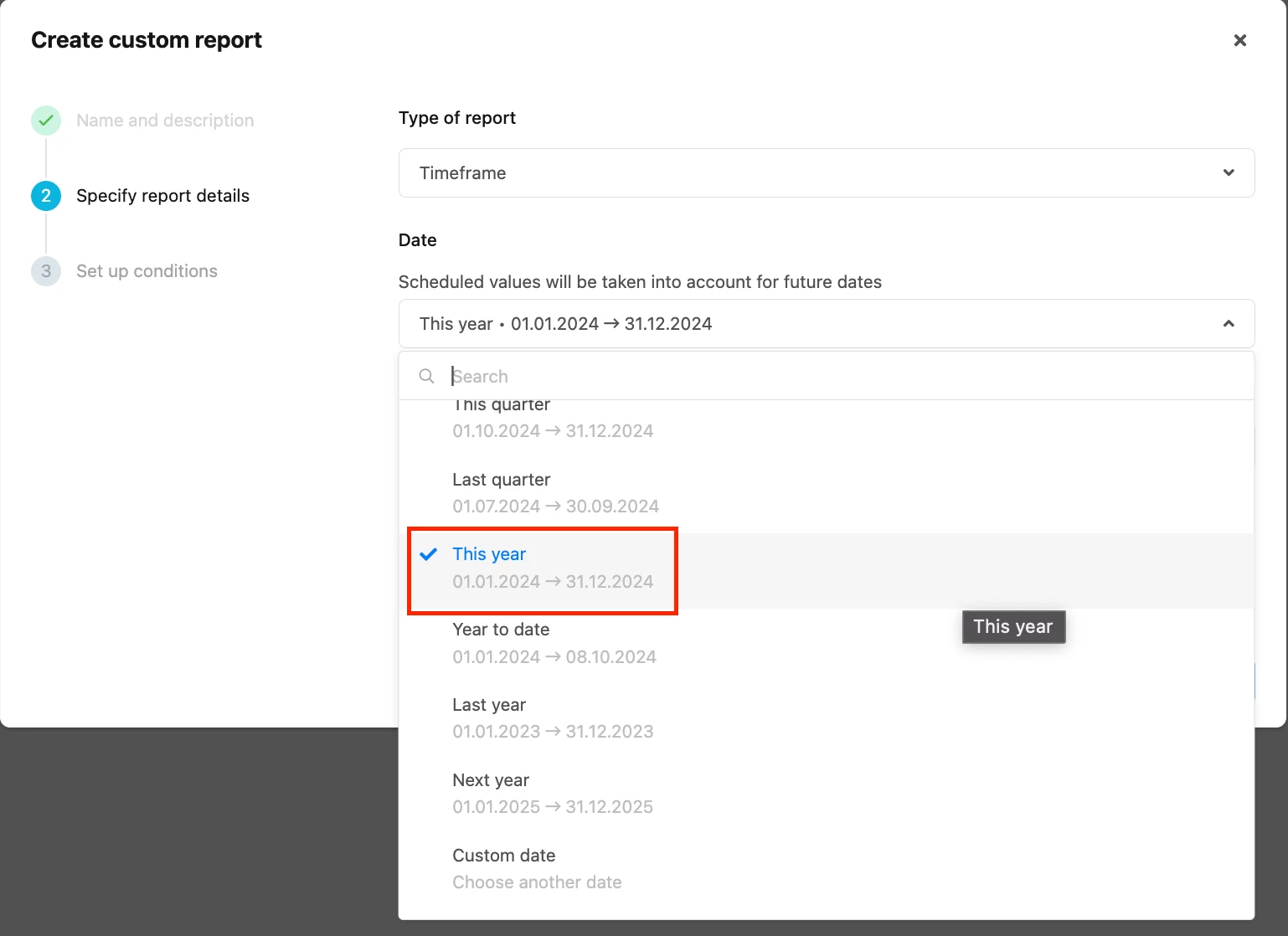
I think in summary - to see the remaining balance I need to pick a ‘date’ in the future - ie. 31st December as that would be the end of the year - thus showing how much leave people have remaining before their allowance lapses.
@JHBEM That is correct, you can select the timeframe This year in the Custom report configuration to see the remaining balance of employees. 😊 This is applicable when the absence entitlement is granted from / on January 1st.
Best,
Weena
⚠️Achtung! Dieses Thema könnte veraltet sein
Dieses Thema wurde vor mehr als erstellt. Unser Produkt entwickelt sich schnell weiter — stelle gerne eine neue Frage, um die aktuellsten Infos zu bekommen.
Werde Teil der Personio Voyager Community!
Bitte benutze für die Registrierung die gleiche E-Mail-Adresse, die Du auch zum Login in Deinem Personio Account benutzt. Dies erleichtert es uns, Dir effektiv und effizient zu helfen, wenn wir z.B. etwas in Deinem Account überprüfen müssen. Bereits registriert? > Anmelden
Achtung: Dein öffentlicher Benutzername darf keine persönlichen Informationen wie E-Mail oder andere private Daten enthalten!
Herzlich willkommen in der Personio Voyager Community.
Die Service und Networking Community für alle Personio Kund*innen und HRler*innen. Solltest Du Dich noch nicht registriert haben, klicke bitte unten auf "Benutzerkonto erstellen". Benutzerkonto erstellen
Enter your E-mail address. We'll send you an e-mail with instructions to reset your password.