I would need your help with several topics regarding absence and Leave status based on Pregnancy and maternity leave.
Issue no 1: As an admin I can see the Pregnancy leave in the employee’s calendar, but she can’t nor colleagues from the payroll and this is important to them due to monthly invoicing.
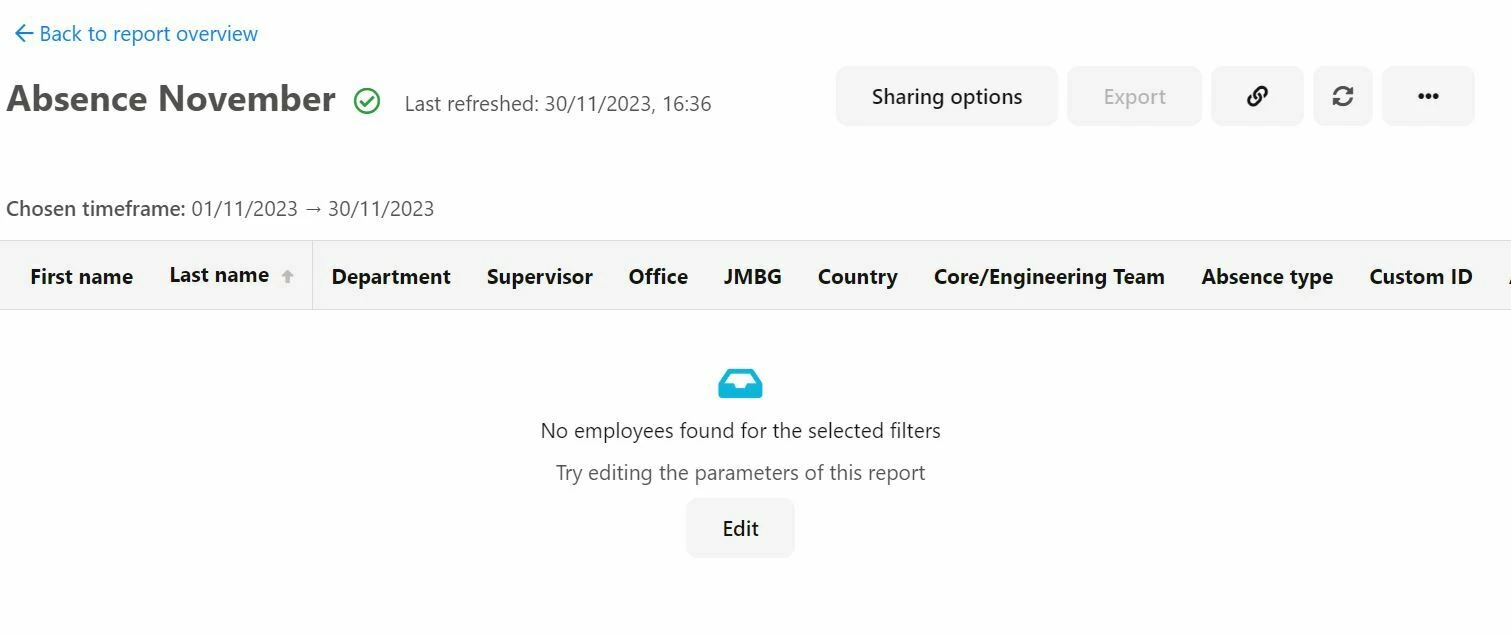
Issue no 2: Colleagues who are on maternity and pregnancy leave (with the status Leave) are not shown in the Absence report (custom report category) although those atributes were previously selected.
I had another user whereby the custom filter of does not equal worked and employees showed. So could you please try the opposite and put in for example Status does not equal Inactive, Onboarding etc. This should allow for the employee on Leave to show, however if not then we would need to take a closer look.
For issue one, it seems that these employees do not have access rights to the absence type used for the scheduled leave period. To fix this, please create an employee role add your colleague and the Payroll team as members. After you have done this, please navigate to Calendars within the employee role and ensure that you give access to the absence type you use for your leave. Once this has been done, the employees should now be able to view this absence type in the Absence Calendar. For more information, here is our guide on Configure and Manage Access to the Company Calendar.
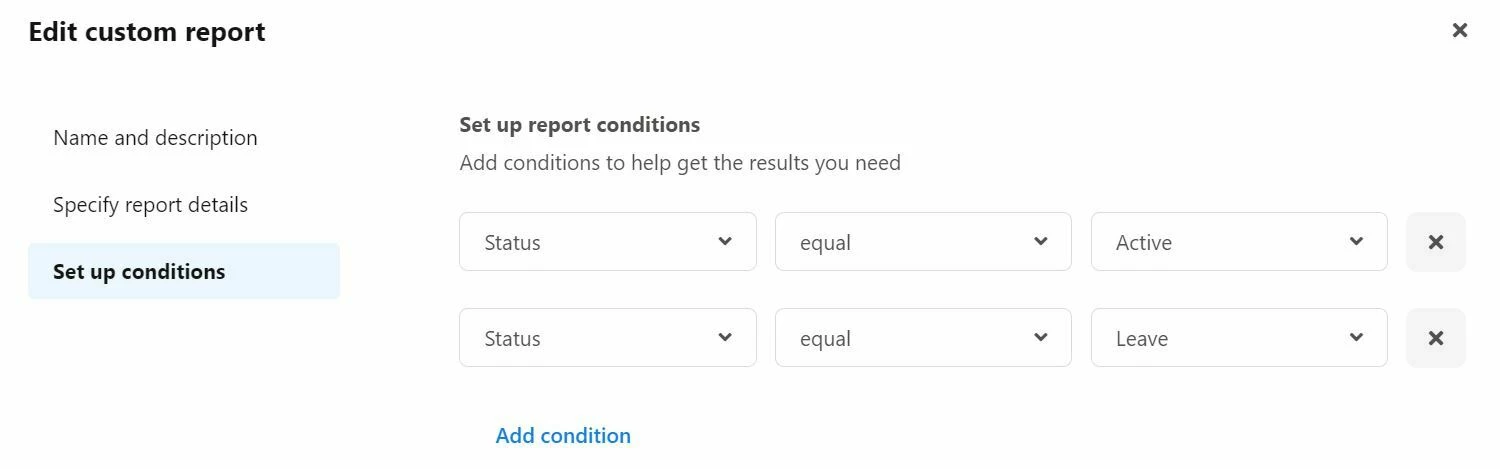
For issue two, I tested it out on my demo account and previous or planned absences should be shown for the employee, even if they are on Leave. Can you give me more details about the way you have set this Custom report up? Maybe a screenshot of the setup would help, please do not screenshot the actual report as this will contain sensitive information.
If you use both parameters (Status equal Active & Status equal Leave), this will not work. If you try to just put in Status equals Active, will the employees on Leave still show? In my test, this worked and the employee still came up in the reporting.
Please let me know and I will be happy to investigate further.
I had another user whereby the custom filter of does not equal worked and employees showed. So could you please try the opposite and put in for example Status does not equal Inactive, Onboarding etc. This should allow for the employee on Leave to show, however if not then we would need to take a closer look.
Thank you so much for proposing this workaround solution, it worked! :)
Have a great day,
Milica
⚠️Achtung! Dieses Thema könnte veraltet sein
Dieses Thema wurde vor mehr als erstellt. Unser Produkt entwickelt sich schnell weiter — stelle gerne eine neue Frage, um die aktuellsten Infos zu bekommen.
Werde Teil der Personio Voyager Community!
Bitte benutze für die Registrierung die gleiche E-Mail-Adresse, die Du auch zum Login in Deinem Personio Account benutzt. Dies erleichtert es uns, Dir effektiv und effizient zu helfen, wenn wir z.B. etwas in Deinem Account überprüfen müssen. Bereits registriert? > Anmelden
Achtung: Dein öffentlicher Benutzername darf keine persönlichen Informationen wie E-Mail oder andere private Daten enthalten!
Herzlich willkommen in der Personio Voyager Community.
Die Service und Networking Community für alle Personio Kund*innen und HRler*innen. Solltest Du Dich noch nicht registriert haben, klicke bitte unten auf "Benutzerkonto erstellen". Benutzerkonto erstellen
Enter your E-mail address. We'll send you an e-mail with instructions to reset your password.