I’m experiencing unexpected behaviour trying to get my vacation days synced out of Personio into my personal Google calendar.
Syncing or rather clearing calendar data for external retrieval does work. It’s just that when I only pick “My Calendar” nothing gets shared out; if I picked “paid vacation”, however, I’m getting all staffers days off. :/
So I’m guessing my actual question is : what do I have to do (different) to get this accomplished?
Thank you very much for your help. Best - Alex / EMS
Beste Antwort von International Support Team
Hi @Alex_M_at_EMS,
Yes with My Calendar it will display your approved Absences. In this case I would suggest to again generate a link, It might take up to 24 hours for changes to show in your Google Calendar.
In case no data is still not showing I would suggest to open a support request via The in-product Help area, my colleagues from Support will be able to login into your Account and review your Settings.
Be aware that only Account owners can contact our support team. In case you are not registered as such, please contact your colleagues in the role, or add this information in your account. You can find out how here.
Please let me know if there is anything else I can support you with.
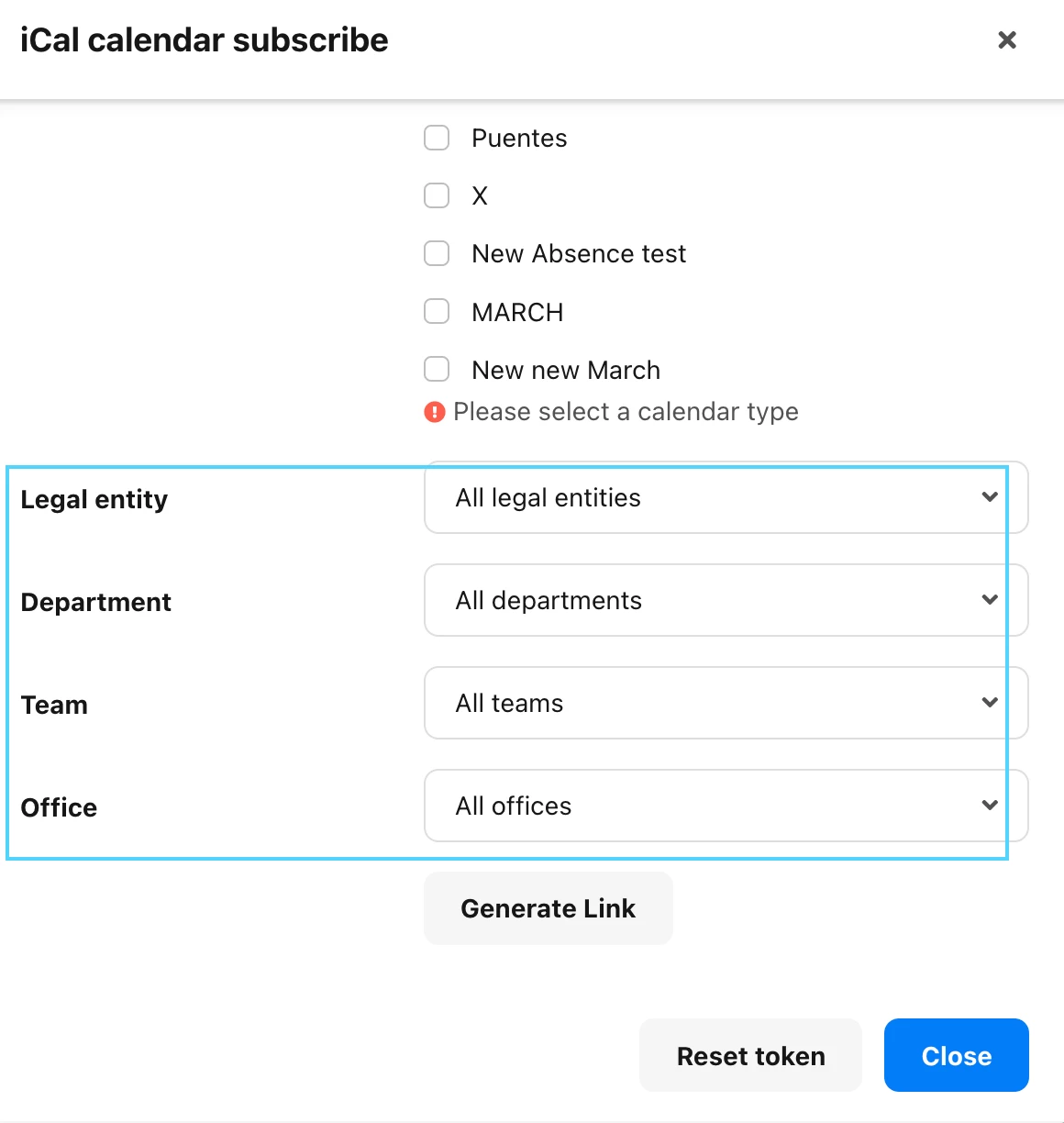
Are you using an Ical link for the transfer? Please have in mind that the calendar does not include any Absence types created after you generate an iCal link.
With My Calendar you will only see your own Calendar.
In case you pick a certain Absence type you will have also to fill in this part, in order the filter out what you would like to export:
Yes with My Calendar it will display your approved Absences. In this case I would suggest to again generate a link, It might take up to 24 hours for changes to show in your Google Calendar.
In case no data is still not showing I would suggest to open a support request via The in-product Help area, my colleagues from Support will be able to login into your Account and review your Settings.
Be aware that only Account owners can contact our support team. In case you are not registered as such, please contact your colleagues in the role, or add this information in your account. You can find out how here.
Please let me know if there is anything else I can support you with.
sadly, this still isn’t working, 24 hrs wait or not. I’ll pass your suggestion to our account owner.
thx.
⚠️Achtung! Dieses Thema könnte veraltet sein
Dieses Thema wurde vor mehr als erstellt. Unser Produkt entwickelt sich schnell weiter — stelle gerne eine neue Frage, um die aktuellsten Infos zu bekommen.
Werde Teil der Personio Voyager Community!
Bitte benutze für die Registrierung die gleiche E-Mail-Adresse, die Du auch zum Login in Deinem Personio Account benutzt. Dies erleichtert es uns, Dir effektiv und effizient zu helfen, wenn wir z.B. etwas in Deinem Account überprüfen müssen. Bereits registriert? > Anmelden
Achtung: Dein öffentlicher Benutzername darf keine persönlichen Informationen wie E-Mail oder andere private Daten enthalten!
Herzlich willkommen in der Personio Voyager Community.
Die Service und Networking Community für alle Personio Kund*innen und HRler*innen. Solltest Du Dich noch nicht registriert haben, klicke bitte unten auf "Benutzerkonto erstellen". Benutzerkonto erstellen
Enter your E-mail address. We'll send you an e-mail with instructions to reset your password.