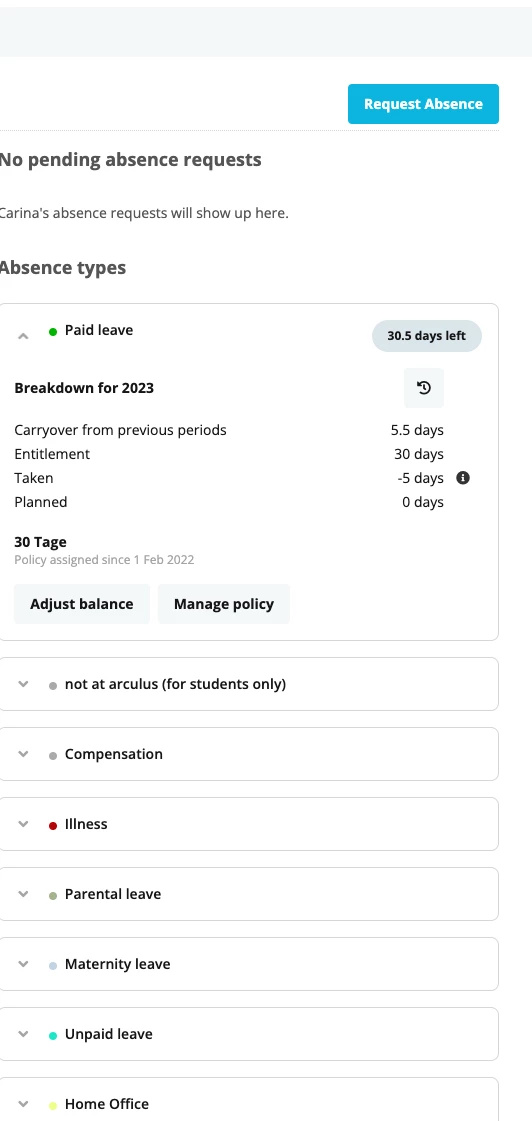
Currently everyone can see the absence type details from each colleague in the company. We want to change it that:
only the team lead can see details (holiday balance, carry over etc.) on that for the own direct reports
all colleagues see if someone is on holiday, but no further details.
Can you support with this request?
Thank you
Carina
Beste Antwort von ConorCunningham
Hey @Carina,
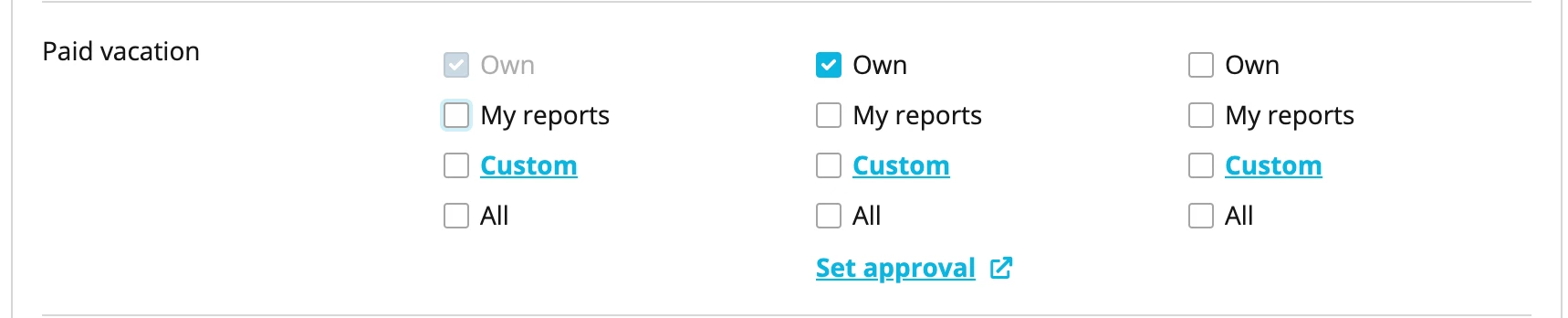
So first you need to go into your All Employee’s role and take away access rights to stop all employees viewing each others absences. You should only select the Own option for View & Propose rights for absences like shown:
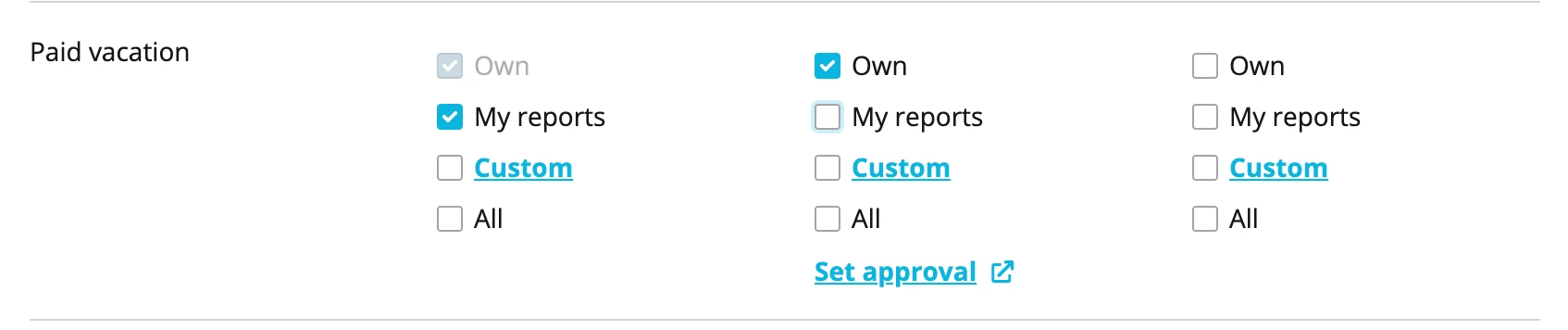
Next please create an employee role for your Team Leads and add them all as members. You will then navigate to access rights within here and grant them View rights to the My reports option for all the respective absence types:
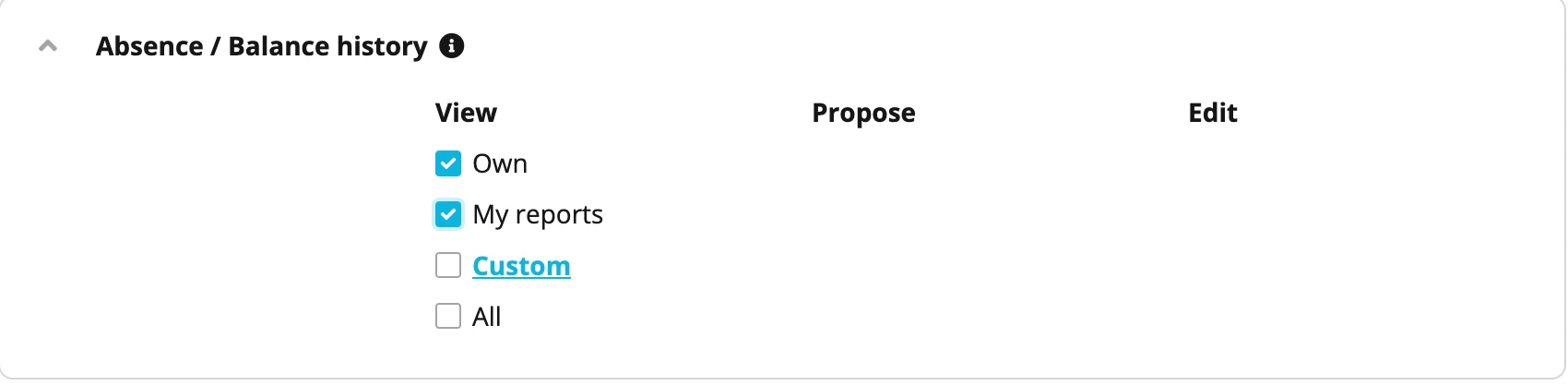
And additionally you need to grant them access to the Absence / Balance History tab also like shown. This ensures Team Leads can view their reports absence balances also.
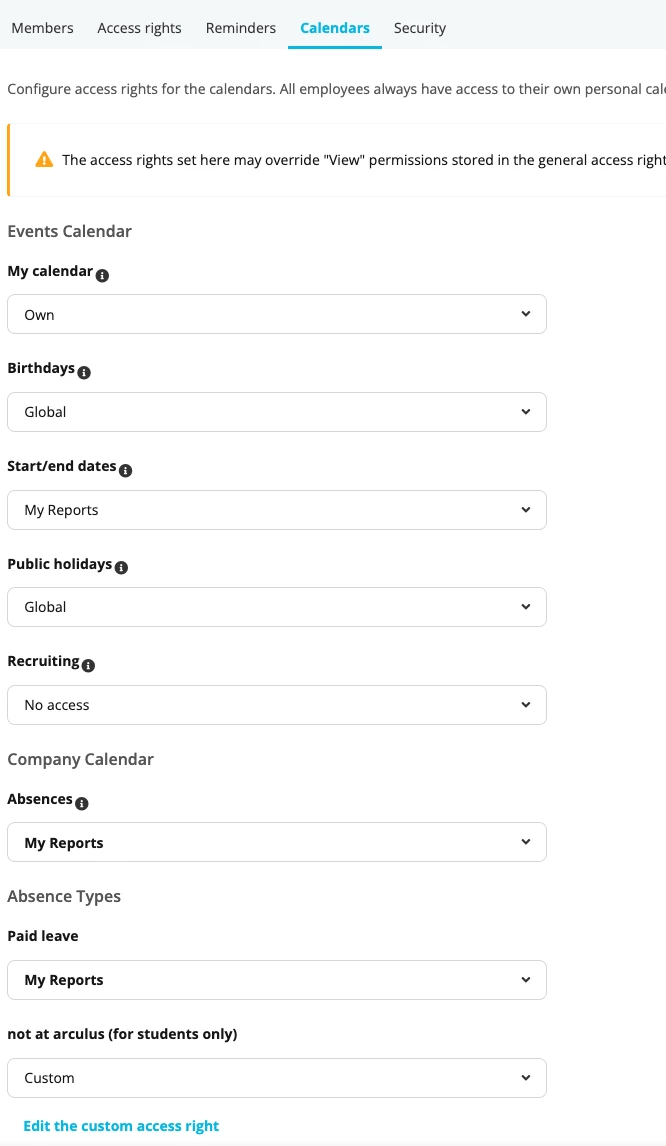
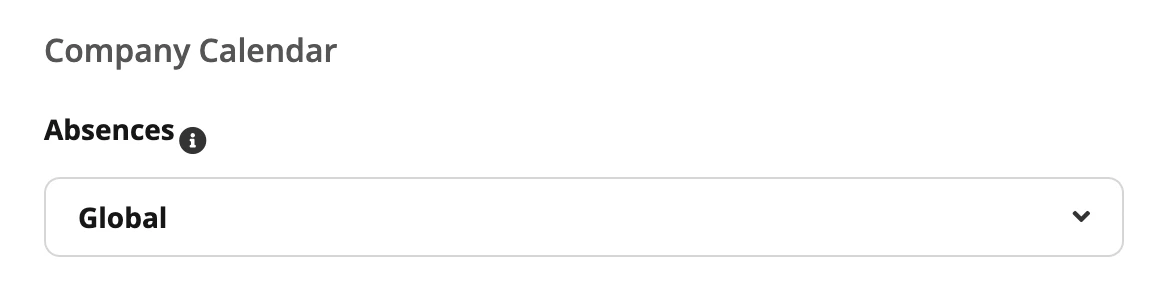
Next, as you want to allow employees to view others absences but not the details of the absence, you need to navigate to the All Employees role once more. Please navigate to the Calendar tab within here and you will scroll down and give Global access to the Absences option. You will only give the access to this option, you do not need to pick any of the absence types below this.
Going forward, employees should now be able to see when other employees are off on absence, but not the reason why.
So first you need to go into your All Employee’s role and take away access rights to stop all employees viewing each others absences. You should only select the Own option for View & Propose rights for absences like shown:
Next please create an employee role for your Team Leads and add them all as members. You will then navigate to access rights within here and grant them View rights to the My reports option for all the respective absence types:
And additionally you need to grant them access to the Absence / Balance History tab also like shown. This ensures Team Leads can view their reports absence balances also.
Next, as you want to allow employees to view others absences but not the details of the absence, you need to navigate to the All Employees role once more. Please navigate to the Calendar tab within here and you will scroll down and give Global access to the Absences option. You will only give the access to this option, you do not need to pick any of the absence types below this.
Going forward, employees should now be able to see when other employees are off on absence, but not the reason why.
Yes it’s possible for employees to see the absences in Calendars of employees that are in his/her same team.
You can do this by going to Settings > Employee roles > Relevant Employee Role > Calendar > Select relevant Absence types: Own team:
Here you will find more information regarding: Access rights.
Best,
Sofia
⚠️Achtung! Dieses Thema könnte veraltet sein
Dieses Thema wurde vor mehr als erstellt. Unser Produkt entwickelt sich schnell weiter — stelle gerne eine neue Frage, um die aktuellsten Infos zu bekommen.
Werde Teil der Personio Voyager Community!
Bitte benutze für die Registrierung die gleiche E-Mail-Adresse, die Du auch zum Login in Deinem Personio Account benutzt. Dies erleichtert es uns, Dir effektiv und effizient zu helfen, wenn wir z.B. etwas in Deinem Account überprüfen müssen. Bereits registriert? > Anmelden
Achtung: Dein öffentlicher Benutzername darf keine persönlichen Informationen wie E-Mail oder andere private Daten enthalten!
Herzlich willkommen in der Personio Voyager Community.
Die Service und Networking Community für alle Personio Kund*innen und HRler*innen. Solltest Du Dich noch nicht registriert haben, klicke bitte unten auf "Benutzerkonto erstellen". Benutzerkonto erstellen
Enter your E-mail address. We'll send you an e-mail with instructions to reset your password.