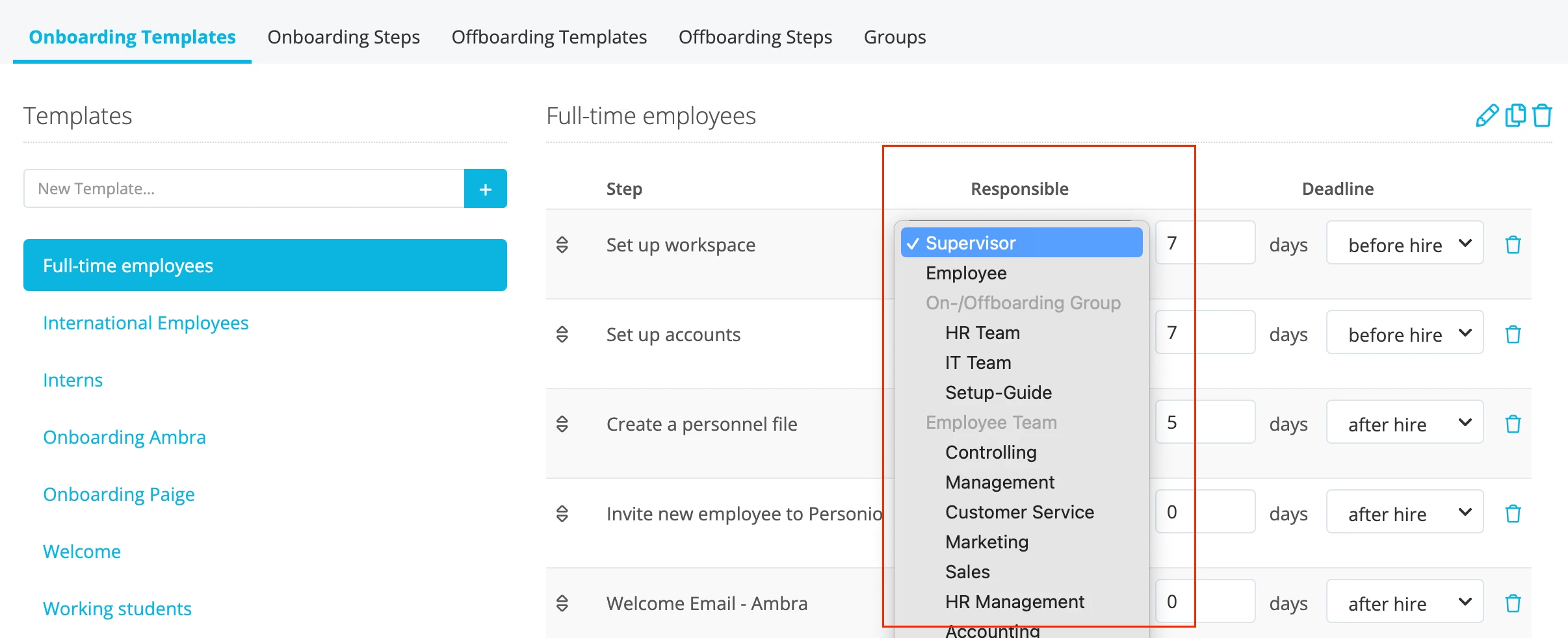
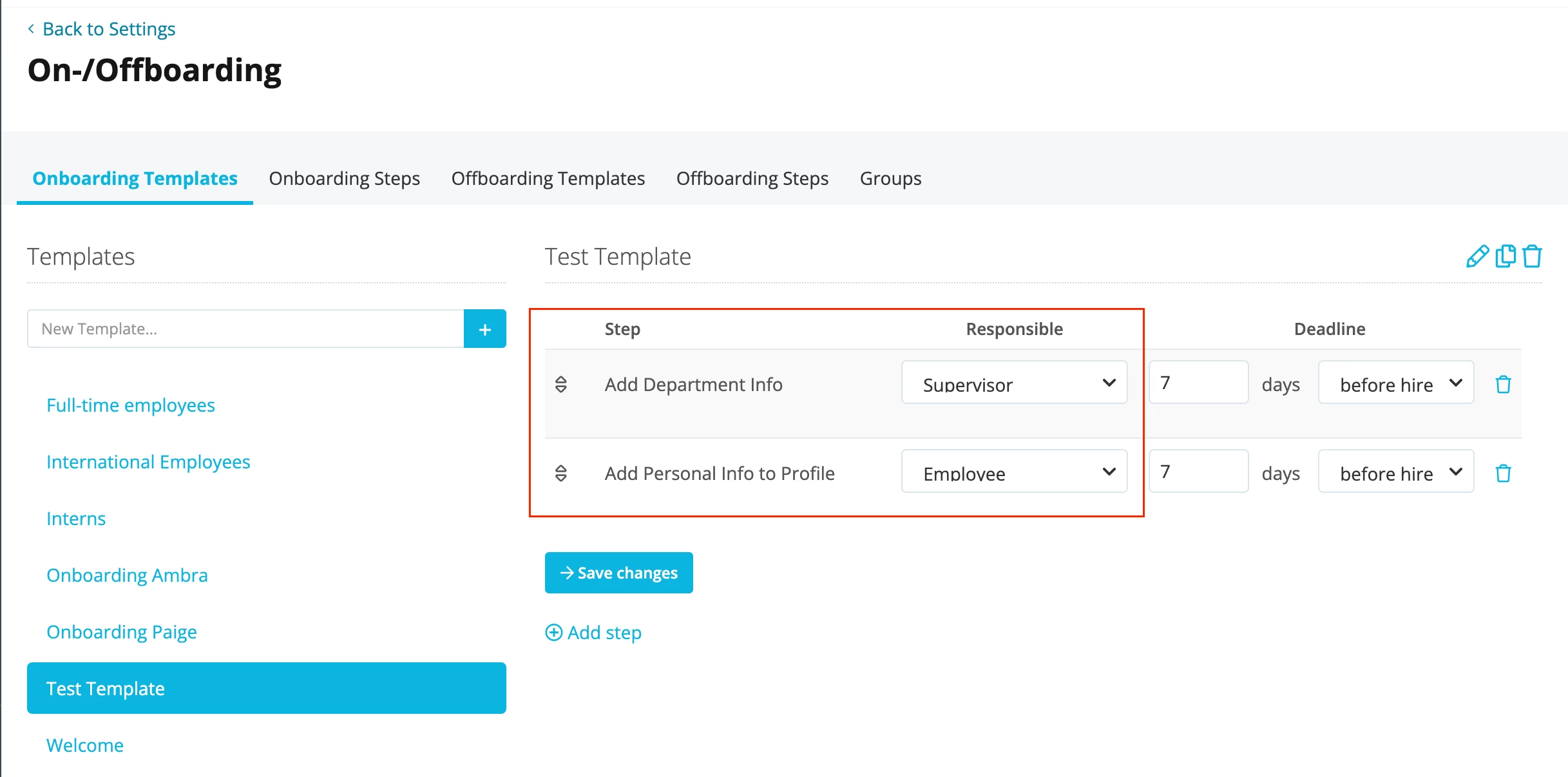
Hi,
I would like to add more than one recipient to the automated emails of our onboarding template (e.g. email goes to new employee and their supervisor). How can I set that up?

Hi,
I would like to add more than one recipient to the automated emails of our onboarding template (e.g. email goes to new employee and their supervisor). How can I set that up?
Beste Antwort von mruscito
Hi again
My apologies - I misunderstood your original question!
You are correct - at the moment you can only select 1 recipient for the email. Your suggestion is great feedback for future improvements, however! You can even post an idea yourself in our Ideation section of the Community 📣
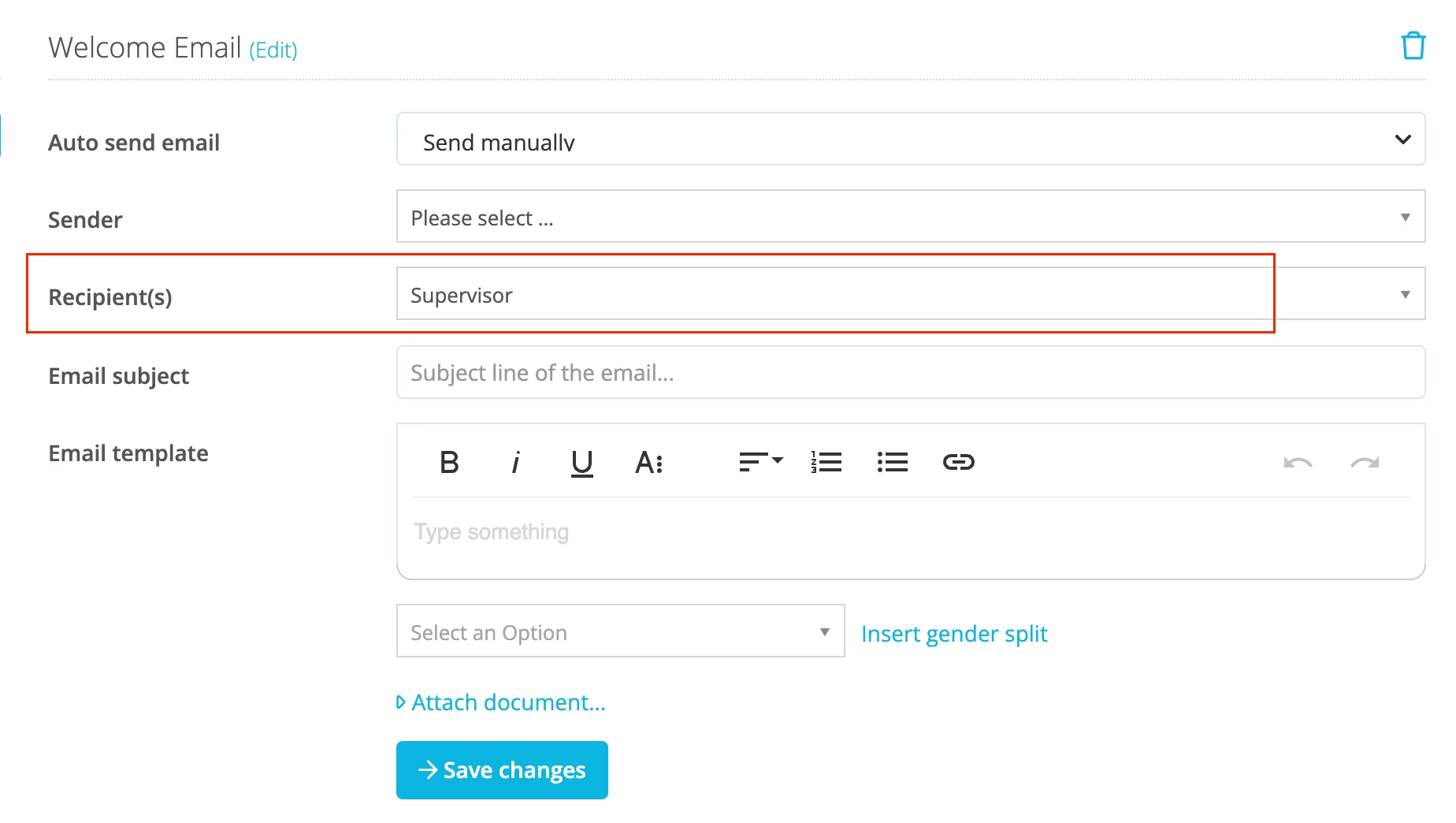
As a workaround, you could assign this email task to the supervisor to get the connection between both employees started.
Apologies for any confusion that my first few explanations may have caused 🤔
Megan
Bitte benutze für die Registrierung die gleiche E-Mail-Adresse, die Du auch zum Login in Deinem Personio Account benutzt. Dies erleichtert es uns, Dir effektiv und effizient zu helfen, wenn wir z.B. etwas in Deinem Account überprüfen müssen. Bereits registriert? > Anmelden
Achtung: Dein öffentlicher Benutzername darf keine persönlichen Informationen wie E-Mail oder andere private Daten enthalten!
Die Service und Networking Community für alle Personio Kund*innen und HRler*innen. Solltest Du Dich noch nicht registriert haben, klicke bitte unten auf "Benutzerkonto erstellen". Benutzerkonto erstellen
Enter your E-mail address. We'll send you an e-mail with instructions to reset your password.